
Verify and Connect: Stay Safe from Online Scammers and Threats

Verify and Connect: Stay Safe from Online Scammers and Threats

Verify and Connect: Stay Safe from Online Scammers and Threats

  • Verify People
  • Locate Lost Connections with email, picture
  • Find Additional information like jobs, pictures, aliases.
  • Double-check the provided information with one click.

Best Ways to Outsmart Catfishing

  • Plans starting at just $4.99
  • Rich database to verify people online
  • Advanced filters like image search
  • Add ons like product search options
  • Signup now and get free template

(5/5)

Pros

Unlimited searches for three days
Filter searches via social media handle or profile photo

Cons

Expensive subscription in comparison to other platforms
It isn’t suitable for iOS devices

How to Prevent Yourself from Catfishing?

Check Identities: We have suggested the best platforms for verifying someone’s identity online, so before getting involved with anyone, check their identities first.

Check Social Media Presence: Always check their social media IDs, such as Facebook, Instagram, and others, to ensure the person is real. Carefully check the post to learn the history of the account.

Exercise Caution with Perfect Profiles: Be wary of profiles with professional-looking photos or perfect backgrounds. These could be stolen from other websites. It’s important to be skeptical of such profiles, as they often turn out to be fraudulent.

Avoid Sharing Personal Information: Do not share personal information like your address, credit card details, phone numbers, and others with the person you only met once.

Report Suspicious Behavior: If someone is showing more interest in you and messaging you on social media, or if someone asks for money, immediately report it to the platform’s support team.

Empower Yourself and Others: Keep yourself updated about the latest tactics used by catfishers. More importantly, share this knowledge with friends and family to protect them from potential scams. Education is a proactive measure in the fight against online fraud.

Frequently Asked Questions

What is catfishing?

Catfishing is the act of creating a fake online identity to deceive others, typically for personal or financial gain. It often involves using someone else’s photos and information to create a believable persona.

How can I recognize a catfisher?

Signs of a catfisher include reluctance to meet in person or video chat, inconsistent or vague details about their life, too-good-to-be-true stories, and asking for money or personal information early on.

What should I do if I suspect I’m being catfished?

If you suspect you’re being catfished, stop communicating with the person, avoid sharing personal information, and report the profile to the platform administrators. You can also perform a reverse image search to check the authenticity of their photos.

How can I protect myself from catfishing?

Protect yourself by being cautious about sharing personal information, verifying the identity of online contacts, avoiding sending money to someone you’ve never met, and using secure and reputable dating or social networking platforms.

Is it illegal to catfish someone?

While catfishing itself is not always illegal, it can lead to criminal activities such as fraud, identity theft, and harassment, which are punishable by law.

Can I report a catfisher to the police?

Yes, you can report a catfisher to the police, especially if you have been defrauded or threatened. Provide as much evidence as possible to support your case.

What are the emotional impacts of being catfished?

Victims of catfishing can experience a range of emotions, including embarrassment, anger, sadness, and betrayal. It can also lead to trust issues and emotional trauma.

How can I verify someone’s identity online?

Verify someone’s identity by conducting video calls, asking specific questions about their life, checking their social media presence, and using reverse image searches on their photos.

What should I do if I have already shared personal information with a catfisher?

You may be able to take legal action against a catfisher if they have committed a crime such as fraud or identity theft. Consult with a lawyer to understand your options and the best course of action.

What should I do if my antivirus software detects a threat?

If your antivirus software detects a threat, follow the recommended steps provided by the software to quarantine or remove the malicious file. It’s also a good idea to run a full system scan to ensure that no other threats are present. In cases of severe infection or if you’re unsure how to proceed, consider seeking professional assistance.

Our Best Pick

Why Do You Need an Antivirus? : Know the Significance

Why Do You Need an Antivirus? : Know the Significance

Why Do You Need an Antivirus? : Know the Significance

Exploring the benefits of an antivirus to safeguard systems and more

As your life is intertwined with technology and the internet, you are encircled with a lot of threats, such as cyber-attacks, that could harm your image and cause financial loss. Your one wrong click can land you in a big problem. Hence, you need a shield or a weapon that could help you safeguard your data and digital devices.

Anti-viruses are the ones who can help in this and be your sword to win this game of cyber crimes.


What is Antivirus?

Antivirus is a bodyguard that protects your devices from malicious malware, software, phishing, and cyber-attacks. You must be careful with your digital and smart devices in this online world. Huge organizations have crucial data in their system, like the financial and personal information of the employees.

Installing antivirus software on your computer means protecting your computer from cybercriminals’ malicious activities. It is your weapon in this game of technology.


What are the Types of Antivirus?

Now, you must be curious about how many types of antivirus are available and which could be an excellent fit for you and your devices. So, here is the list of 10 antiviruses for you:-

  • Spyware Scanners: It protects against spyware by scanning and removing them immediately.

  • Machine Learning Antivirus: It prevents your computer from unknown viruses and learns from past mistakes.

  • Database Antivirus: It employs a database of known threats to search, flag, and handle threats.

  • Malware Removers: They remove malware that is already on your systems rather than prevent its entry.

  • Email Antivirus: It is designed to protect your devices from viruses getting entry through malicious mail.

  • Real-time Antivirus: It regularly scans your computer for potential threats.

  • On-Demand Antivirus: Sometimes, a user command may harm your computer, and a virus may get into it. This kind of antivirus prevents your computer from these user command viruses.

  • Heuristic Antivirus: Detects unknown viruses by examining code for suspicious properties.

  • Internet Security Suites: It prevents viruses that may occur due to internet activities.

  • Portable Antivirus: It prevents viruses from occurring due to the use of USB drives.

Explore More:


Why is it Important?

It’s time to tell why you need a strong antivirus for your computer or any other device. However, there is a prolonged list of significances to installing an antivirus program; we will mention some for you.

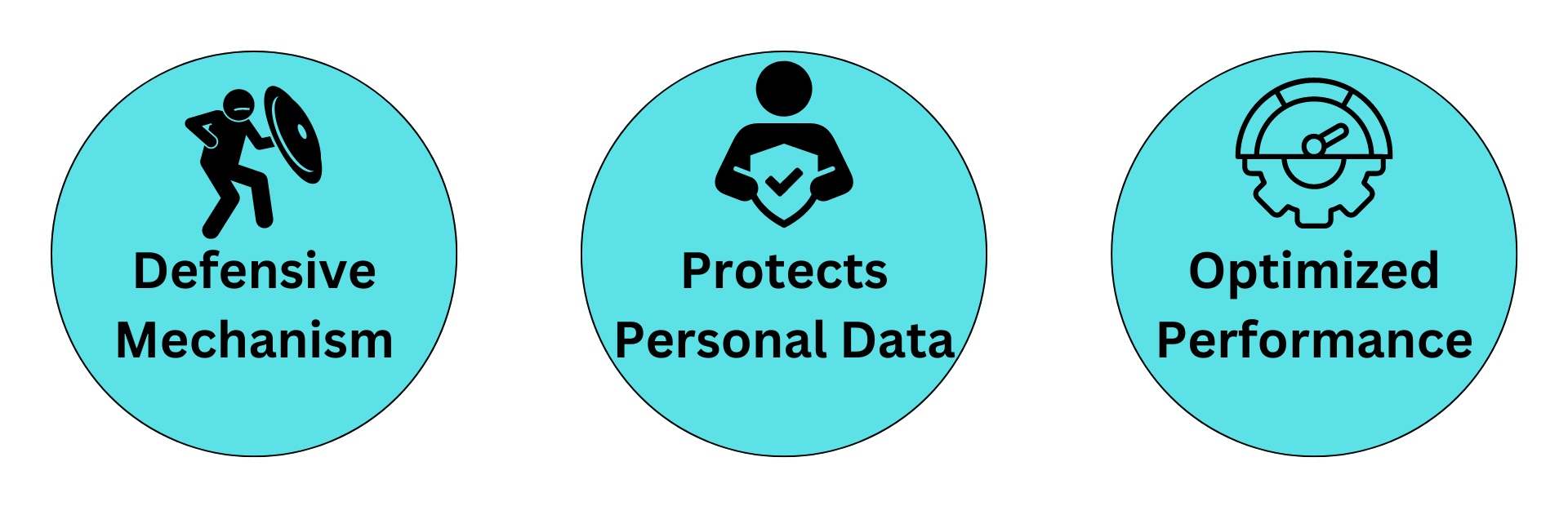
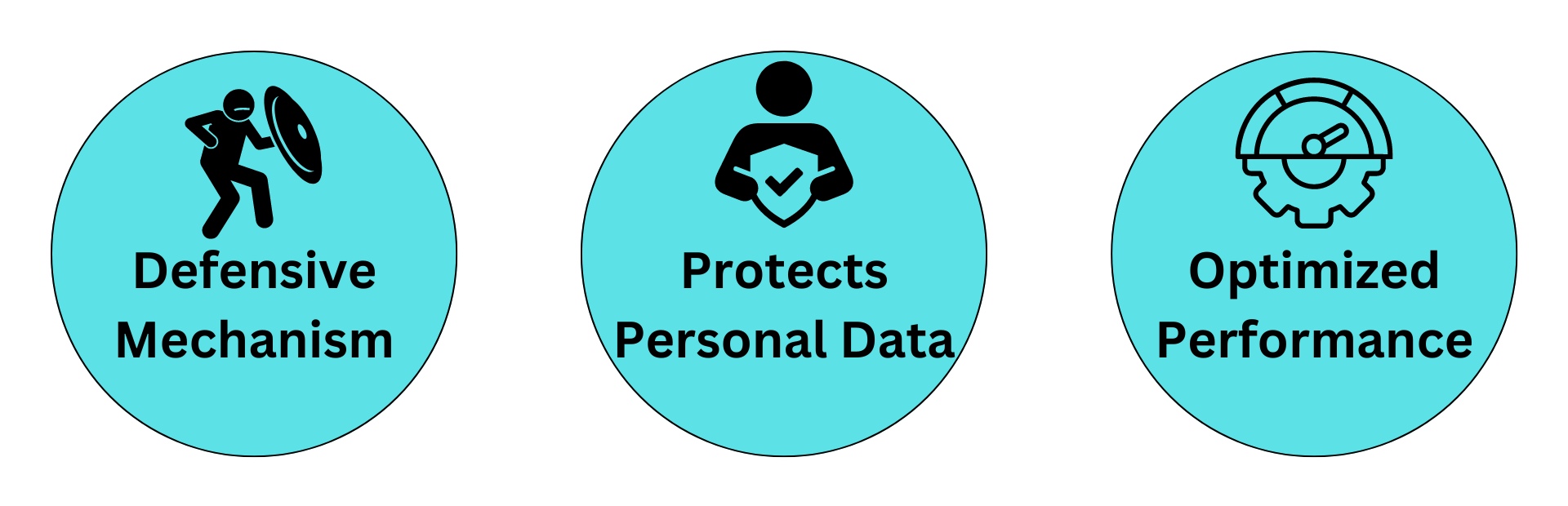
1. Defensive Mechanism: It is known as the defensive mechanism for your computer and other devices, as it regularly scans and removes viruses, worms, Trojans, ransomware, spyware, and adware. To provide protection from various types of threats, it monitors your emails, websites, and other digital content that could harm your computer and breach the system’s security.

2. Protects Personal Data: Your laptop and computer store confidential information such as your personal information, credit card details, bank details, and more. Hence, it becomes crucial to install a protection shield to safeguard your data. Antivirus software helps you protect your data from cyber attacks, which could lead to financial loss or damage to your public image as well.

3. Optimized Performance: Some malware and cyber threats can slow system performance and impact operations and activities. Antiviruses regularly monitor and scan your digital devices in real time. They immediately act against abnormal activity and malicious software to prevent you and enhance your devices’ performance.


Top Anti-Virus Softwares

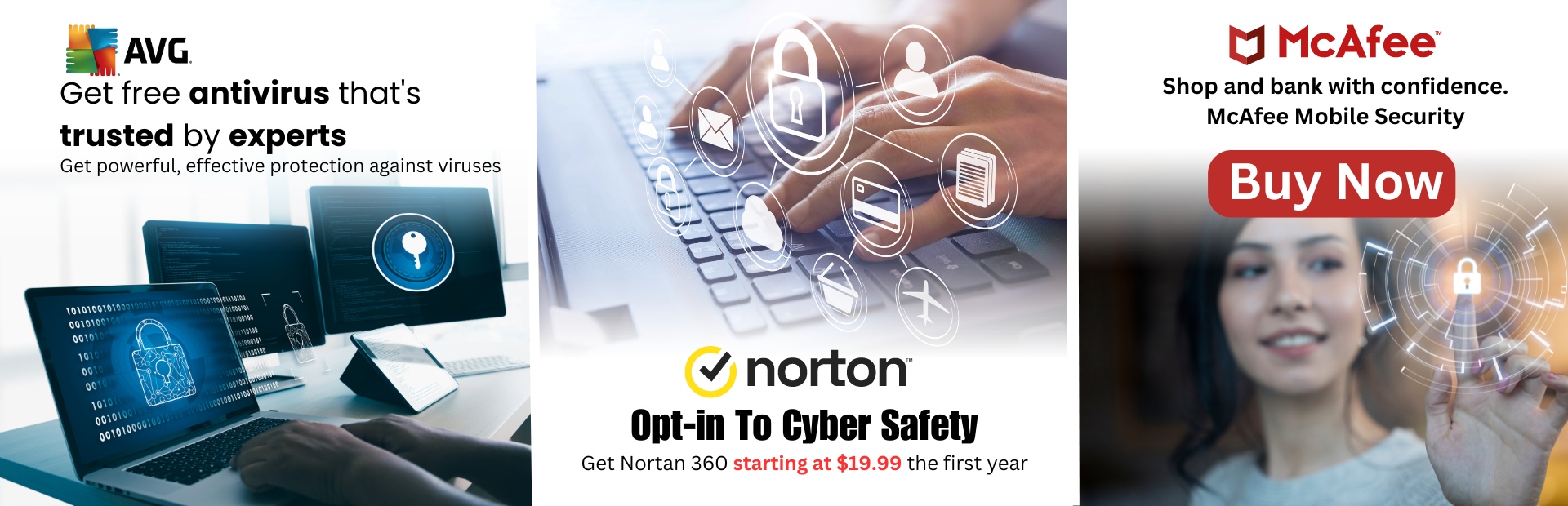
1- AVG

Pros

Trusted by 435 million worldwide
Award-winning antivirus
Lightweight and easy to use

Cons

It does not support Ubuntu and Linux versions
Outdated user-Interface
It does not work well on email protection

2- NortonLifeLock

Pros

All-in-one protection for your devices
Online privacy and identity
Secure VPN, Parental control

Cons

Beginners can find difficulties in its use.
Different programs for different things can confuse.
A little bit expensive.

3- McAfee

Pros

30-day money-back guarantee
100% protection guaranteed
Security Experts & Online Support

Cons

The basic plan is suitable for one device only
Random pop-ups can be annoying
An introductory plan could be expensive

Learn More 

Final Thoughts

We have prepared a valuable list of top antiviruses that protect your computer from malware, phishing attacks, adware, email viruses, and many more. This is the right time for you to buy the best option not only for your computer but also for the protection of your personal data and vital information. There is a hearsay that ‘Precaution is better than cure.’ Antiviruses are that precaution for you.

Frequently Asked Questions

What is antivirus software?

Antivirus software is a program designed to detect, prevent, and remove malicious software (malware) from your computer or device. It helps protect your system from viruses, worms, trojans, ransomware, and other types of malicious threats.

Why is antivirus software important?

Antivirus software is important because it provides a critical layer of defense against cyber threats. It helps protect your personal data, financial information, and sensitive documents from being compromised by malicious software. Without it, your system is vulnerable to attacks that can lead to data loss, identity theft, and system damage.

How does antivirus software work?

Antivirus software works by scanning files and programs on your computer for known malware signatures and suspicious behavior. It uses a combination of techniques, including signature-based detection, heuristic analysis, and behavior monitoring, to identify and neutralize threats before they can cause harm.

Can antivirus software protect against all types of malware?

While antivirus software is effective at detecting and removing many types of malware, no solution is 100% foolproof. New and sophisticated threats, such as zero-day exploits and advanced persistent threats (APTs), can sometimes bypass traditional antivirus defenses. However, antivirus software significantly reduces the risk and provides essential protection against a wide range of threats.

Do I need antivirus software if I have a firewall?

Yes, both antivirus software and a firewall serve different purposes and provide complementary protection. A firewall helps block unauthorized access to your network and monitor incoming and outgoing traffic, while antivirus software focuses on detecting and removing malicious software. Using both together offers a more comprehensive security solution.

Is free antivirus software as effective as paid versions?

Free antivirus software can provide basic protection, but it may lack some of the advanced features and comprehensive support found in paid versions. Paid antivirus programs often include additional layers of protection, such as real-time scanning, phishing protection, firewall integration, and customer support. The choice between free and paid options depends on your specific security needs and preferences.

How often should I update my antivirus software?

You should keep your antivirus software up to date at all times. Updates ensure that the software can recognize and combat the latest threats. Most antivirus programs are designed to update automatically, but it’s good practice to check for updates regularly and ensure that your software is always using the latest virus definitions and security patches.

Can antivirus software slow down my computer?

While some antivirus programs can impact system performance, most modern antivirus solutions are designed to minimize any noticeable slowdown. If you experience significant performance issues, consider optimizing your antivirus settings, ensuring you have enough system resources, or exploring alternative antivirus options.

Do I need antivirus software on mobile devices?

Yes, antivirus software can be beneficial for mobile devices, especially given the increasing prevalence of malware targeting smartphones and tablets. Mobile antivirus solutions can help protect against malicious apps, phishing attempts, and other mobile-specific threats.

What should I do if my antivirus software detects a threat?

If your antivirus software detects a threat, follow the recommended steps provided by the software to quarantine or remove the malicious file. It’s also a good idea to run a full system scan to ensure that no other threats are present. In cases of severe infection or if you’re unsure how to proceed, consider seeking professional assistance.

Our Best Pick

The Top 5 Antivirus Software in 2024: A System Security Saga

The Top 5 Antivirus Software in 2024: A System Security Saga

The Top 5 Antivirus Software in 2024: A System Security Saga

  • Real-time protection against malware attacks
  • Autopilot features for complete automation
  • Online backup options for easy recovery
  • Advanced web protection for URL links filtering

Safeguard your systems with real time antivirus protection

Lifelock

Experience AI-powered content management solutions for your business.

McAfee

Stay secure in the digital world with software designed by renowned security experts

Bitdefender

Innovative protection to safeguard your digital presence everyday

  • Plans starting at just $29.99/yr*
  • 60-day money back guarantee
  • Identity Theft Insurance (up to $1 million)
  • Free VPN services for secure browsing.

(5/5)

  • 30-day money-back guarantee
  • 100% virus protection guarantee
  • True key for authentication across devices
  • Free Benefits With Auto-Renewal

(5/5)

  • Save Up To 50% Off
  • 30-day guaranteed refund policy
  • Unlimited VPN traffic
  • Photon technology for optimized

(5/5)

  • Save 40% on ESET HOME Security
  • Unlimited VPN
  • Protect for up to 1000+ devices
  • Advanced HIPS to define system

(5/5)

  • Access 50+ server locations
  • Advanced privacy tools like webcam protection
  • 30-day money-back guarantee
  • Protect up to 10 devices

(5/5)

Why is Antivirus a Necessity for You?

It’s time to tell why you need a strong antivirus for your computer or any other device. However, there is a prolonged list of significance to installing an antivirus program; we will mention some for you.

1. Defensive Mechanism: It is known as the defensive mechanism for your computer and other devices, as it regularly scans and removes viruses, worms, Trojans, ransomware, spyware, and adware. To provide protection from various types of threats, it monitors your emails, websites, and other digital content that could harm your computer and breach the system’s security.

2. Protects Personal Data: Your laptop and computer store confidential information such as your personal information, credit card details, bank details, and more. Hence, it becomes crucial to install a protection shield to safeguard your data. Antivirus software helps you protect your data from cyber attacks, which could lead to financial loss or damage to your public image as well.

3. Optimized Performance: Some malware and cyber threats can slow system performance and impact operations and activities. Antiviruses regularly monitor and scan your digital devices in real time. They immediately act against abnormal activity and malicious software to prevent you and enhance your devices’ performance.

Antivirus Showdown: Norton, McAfee, Bitdefender, ESET, and AVG? Who Will Win?

The modern age asks for cybersecurity more than ever. With the count of cyber threats only going upwards, picking the right antivirus software becomes optimal for data and device protection.

Norton, McAfee, Bitdefender, ESET, and AVG are among the leading names in the antivirus industry, each offering unique features and strengths. In this article, we’ll compare these five antivirus solutions across key factors to help you make an informed decision about which is best suited for your needs.

1. Protection Power

Verdict: All five antivirus solutions provide robust protection, but Norton and Bitdefender stand out for their advanced threat detection and comprehensive security features.

2. Performance and Impact

Verdict: ESET and Bitdefender are the clear winners in terms of minimal system performance impact, making them ideal for users with performance concerns.

3. Features and Utility

Verdict: Norton and Bitdefender offer the most comprehensive features, making them suitable for users looking for all-in-one security solutions. ESET and AVG are better for those who prioritize simplicity and essential features.

4. Value for Money

Verdict: Bitdefender offers the best balance of features and pricing, providing comprehensive protection at an affordable rate. AVG’s free version is attractive for budget-conscious users, but the premium pricing is higher compared to its competitors.

5. Customer Assistance

Verdict: Norton, McAfee, and Bitdefender offer superior customer support, with 24/7 availability and multiple contact options. ESET and AVG provide solid support, but with some limitations.

Conclusion: Which Antivirus Takes the Win?

Choosing the best antivirus software depends on your specific needs, budget, and technical expertise:-

Choose Norton if you want a comprehensive, all-in-one security solution with top-tier protection, extensive features, and reliable customer support. It’s perfect for users who need robust security and don’t mind paying a bit more for it.

Choose McAfee if you’re looking for a reliable antivirus with a strong feature set and are attracted to its frequent discounts. McAfee is a great option for families, with its identity theft protection and parental controls.

Choose Bitdefender if you want the best balance of price, features, and performance. It’s ideal for users who seek comprehensive protection without compromising system performance.

Choose ESET if you prioritize lightweight software that offers strong protection with minimal impact on your system. ESET is perfect for users who need efficient security and are comfortable with fewer extras.

Choose AVG if you’re looking for a free or budget-friendly antivirus solution that provides solid basic protection.

How Did We Review Antivirus for You?

Protection Quality: We reviewed the malware detection and removal capabilities and checked how effective it was against spyware and ransomware.

Performance Impact: We checked if the software offered solid protection without affecting the performance and speed of the device.

Ease of Use: We researched the interfaces to see how easy it was to navigate, update, and look for all the necessary maintenance options

Compatibility: We verified whether the antivirus was compatible with different operating systems and other installed software

Customer Support: We reviewed customer support via multiple channels to check if issues were resolved effectively or not.

Frequently Asked Questions

What should I look for in the best antivirus software?

When choosing antivirus software, consider features such as real-time scanning, malware detection rates, ease of use, impact on system performance, customer support, additional security features (like firewall or VPN), and regular updates.

How important is malware detection rate in choosing antivirus software?

Malware detection rate is crucial as it indicates how effectively the software can identify and neutralize threats. Look for independent lab test results from reputable sources, such as AV-Test or AV-Comparatives, to evaluate detection rates.

Do I need additional features like a firewall or VPN?

Additional features like a firewall, VPN, and identity theft protection can enhance your security. Evaluate your specific needs and whether these features are beneficial for your use case. Some antivirus solutions include them in their premium versions.

Is a free antivirus as effective as a paid one?

Free antivirus software can provide basic protection but may lack advanced features, regular updates, and comprehensive support offered by paid versions. Paid solutions typically offer better protection, more features, and higher support levels.

How do I determine if antivirus software will impact my computer’s performance?

Check user reviews and independent test results for performance impact. Many antivirus programs offer a “light” or “minimal” mode that reduces system load. You can also try free trials to assess the impact of performance on your system.

How often should antivirus software be updated?

Antivirus software should be updated regularly to ensure it can detect the latest threats. Most reputable antivirus programs update automatically, but you should check settings to ensure automatic updates are enabled.

Can antivirus software protect against all types of threats?

While antivirus software provides strong protection against many types of malware, no solution can offer complete protection against all threats. It’s important to use antivirus software in conjunction with safe browsing practices and other security tools.

What are the benefits of real-time scanning?

Real-time scanning provides continuous protection by actively monitoring files and processes for suspicious activity. It helps detect and block threats as they occur rather than after they have already compromised your system.

How easy is it to use the antivirus software?

Ease of use varies among antivirus programs. Look for software with an intuitive interface, easy setup, and straightforward configuration options. User reviews and product demos can help gauge usability.

Is customer support important for antivirus software?

Yes, reliable customer support is important for resolving issues and getting assistance with the software. Check if the antivirus provider offers support via phone, email, live chat, or an extensive knowledge base.

Our Best Pick

Most Popular Newly Launched Mattresses For Sleepful Nights

Most Popular Newly Launched Mattresses For Sleepful Nights

Most Popular Newly Launched Mattresses For Sleepful Nights

  • 22 Lakh+ Happy customers Family
  • Luxury Comfort With Shapesense Technology
  • Free Shipping and Installation with No Cost EMIs
  • 100 day trial with 10+ year warranty

Recommending the best mattress for your restful nights

  • Trial Days: 100 days
  • Price Range: ₹7,000 – ₹16,000.
  • Best For: individuals with back pain who prefer medium-firm support.
  • Warranty Period: 10 Years
  • Thickness: 5″, 6″, 8″, 10″

(5/5)

  • Trial Days: 100 days
  • Price Range: ₹6,000 – ₹12,000.
  • Best For: Couples
  • Warranty Period: 7 Years
  • Thickness: 4″, 5″, 6″, 8″

(5/5)

  • Trial Days: 100 days
  • Price Range: ₹15,000 – ₹30,000.
  • Best For: Eco-conscious buyers
  • Warranty Period: 15 years
  • Thickness: 6″, 8″, 10″

(5/5)

  • Trial Days: No trials available
  • Price Range: ₹10,000 – ₹20,000.
  • Best For: Fans of spring mattresses
  • Warranty Period: 10 Years
  • Thickness: 6″, 8″, 10″

(5/5)

  • Trial Days: 100 days
  • Price Range: ₹9,000 – ₹18,000.
  • Best For: Those needing extra spinal support
  • Warranty Period: 10 years
  • Thickness: 6″, 8″, 10″

(5/5)

  • Trial Days: 100 days
  • Price Range: ₹7,000 – ₹14,000.
  • Best For: Individuals
  • Warranty Period: 7 years
  • Thickness: 4″, 5″, 6″, 8″

(5/5)

  • Trial Days: No Trial Available
  • Price Range: ₹5,000 – ₹10,000.
  • Best For: Budget buyers
  • Warranty Period: 5-Year
  • Thickness: 4″, 5″

(5/5)

  • Trial Days: 100 Days
  • Price Range: ₹6,000 – ₹15,000.
  • Best For: Urban dwellers
  • Warranty Period: 5 years
  • Thickness: 4″

(5/5)

Mattress Testing Methodology

Back Support: We prioritize your comfort and health, ensuring that our mattresses align with your spine and neck for restful nights and significant relief from back and neck pain, giving you hope for a better sleep experience.

Material quality: We Provide you with a list of the best mattresses made of 100% pure foam instead of petrochemical foam to ensure safety.

Durability: All our mattresses are highly durable, providing you with long-term comfort and value after regular use, giving you confidence in your investment.

Compressed: Many online brands compress mattresses into a box, which is not good and negatively affects the quality.

Trial period : We offer a trial period for you to test our mattresses and experience our flexible return policy.

How Did We Choose the Best Mattress for You?

There are multiple things that we consider while choosing the mattress, like your body weight, sleep position, and any health conditions you might have:

Body weight: Firmer mattresses are best for heavier people, and softer mattresses are best for lighter people.

Sleep position: Your sleep position also defines what mattress you should buy. Memory foam mattresses are best for adjustable beds as they’re flexible and can mold your body.

Health Conditions: Health conditions should be a primary consideration when choosing a mattress. Many individuals with specific health issues, such as back pain, are often advised by their physicians to opt for mattresses that can provide the necessary support and comfort, like latex mattresses.

Motion isolation: We choose mattresses that prevent disturbances from your partner’s movements.

Frequently Asked Questions

What types of mattresses are available?

Memory Foam: Conforms to your body shape, offering excellent support and pressure relief.

Innerspring: Traditional mattresses with coils that provide good support and a bouncy feel.

Hybrid: Combines innerspring coils with memory foam or latex for balanced support and comfort.

Latex: Natural or synthetic material that offers firm support and is hypoallergenic.

Pillow-top: Has an additional layer of padding on top for extra comfort.

Airbed: Adjustable air chambers allow you to control the firmness level.

How often should I replace my mattress?

Generally, mattresses should be replaced every 7-10 years, depending on the type, quality, and how well they’ve been maintained.

How do I choose the right mattress firmness?

Soft: Best for side sleepers and those who need pressure relief on shoulders and hips.

Medium: Ideal for back sleepers and those who prefer a balance between support and comfort.

Firm: Suitable for stomach sleepers and those who need more support for spinal alignment.

What size mattress should I buy?

Twin: 38” x 75” – Suitable for children and single sleepers.

Full: 54” x 75” – Comfortable for single sleepers who need more space.

Queen: 60” x 80” – Ideal for couples or individuals who want extra room.

King: 76” x 80” – Great for couples who want maximum space.

California King: 72” x 84” – Best for taller individuals or those who prefer extra length.

What should I consider when buying a mattress?

Sleeping Position: Your preferred sleeping position influences the type of mattress you need.

Body Type: Heavier individuals may need a firmer mattress for support, while lighter individuals might prefer a softer one.

Health Concerns: Consider issues like back pain, allergies, or joint problems.

Budget: Determine your budget, but keep in mind that a good mattress is an investment in your health.

Do I need a box spring with my mattress?

It depends on the type of mattress and bed frame you have. Some mattresses, like innerspring, may require a box spring for proper support, while others, like memory foam, can be used directly on a solid platform.

How can I prolong the life of my mattress?

Use a Mattress Protector: Protects against spills, stains, and dust mites.

Rotate the Mattress: Rotate it every 3-6 months to prevent uneven wear.

Proper Support: Ensure your bed frame provides adequate support.

Avoid Jumping on the Bed: Reduces the risk of damaging the mattress.

How do I clean my mattress?

Vacuum Regularly: Remove dust and debris from the surface.

Spot Clean: Use a mild detergent and a damp cloth to clean stains.

Air it Out: Occasionally, let your mattress air out to remove moisture and odors.

What is the difference between a mattress topper and a mattress pad?

Mattress Topper: Adds extra cushioning and support, often used to adjust the firmness of the mattress.

Mattress Pad: A thinner layer that provides minor cushioning and protection for the mattress.

What are the benefits of a memory foam mattress?

Memory foam offers excellent pressure relief, conforms to your body shape, reduces motion transfer, and provides good support for spinal alignment.

Our Best Pick

Comparing the Best Tubs for Cold Plunges

Comparing the Best Tubs for Cold Plunges

Comparing the Best Tubs for Cold Plunges

Explore the best of technology for every day cold plunging.

  • Free Delivery on Cold Plunges
  • As low as $87/month

(5/5)

  • Quality for a competitive price
  • Reliable and excellent products

(5/5)

  • Hand Made Ice Baths
  • The Ice Box Temperature Control System

(5/5)

  • Added Ozone System
  • Dual Salt cell

(5/5)

  • 20 Years of Experience
  • Maximum amount of cooling power possible

(5/5)

  • 100% Satisfaction Guaranteed
  • No hassle, free standard shipping

(5/5)

  • Resilient Mindset
  • Combats Inflammation

(5/5)

  • Natural Stress Relief
  • Recovery From Exercise

(5/5)

  • Improve your immune system
  • Reset your stress response

(5/5)

  • 4000+ Tubs sold
  • As low as $139/month

(5/5)

If you are looking to learn more about cold plunges and the benefits that follow, click here.

How Did We Review It for You?

Here is a guide on how we have prepared this list for you:-

Product Quality: We have evaluated the materials used in the tubs to check their durability, design, and performance to ensure comfort.

Pricing: You need to invest a good amount of money in these kinds of things, so we have checked whether they justify your money in terms of services and warranty.

Warranty and Return Policy: We have evaluated the company’s warranty and its coverage. How easy is it to return or exchange a product if needed?

Reviews and Testimonials: We have looked for user reviews on the internet to provide a balanced review.

Customization and Options: We ensure that the company should offer customization options to meet specific needs or preferences.

Frequently Asked Questions

What is a plunge ice bath?

A plunge ice bath is a tub or container filled with cold water and ice, used for cold water immersion therapy. It’s often used by athletes to reduce muscle soreness and inflammation.

What are the benefits of using a plunge ice bath?

Benefits include reduced muscle soreness, faster recovery after intense exercise, improved circulation, and potential mood enhancement.

How long should I stay in a plunge ice bath?

It’s generally recommended to stay in an ice bath for 10 to 15 minutes. However, the duration may vary based on personal tolerance and the specific goals of the therapy.

How cold should the water be in a plunge ice bath?

The ideal temperature for an ice bath is typically between 50°F (10°C) and 59°F (15°C).

How often can I use a plunge ice bath?

Frequency depends on individual needs and goals, but many people use ice baths 2-3 times per week. Athletes might use them more frequently during intense training periods.

Are there any risks associated with using plunge ice baths?

Risks can include hypothermia, frostbite, and cardiovascular stress. It’s important to consult with a healthcare provider before starting ice bath therapy, especially if you have underlying health conditions.

Can everyone use a plunge ice bath?

While many people can benefit from ice baths, individuals with certain health conditions, such as cardiovascular issues or cold intolerance, should avoid them or consult a healthcare provider first.

How do I prepare for a plunge ice bath?

To prepare, make sure you are well-hydrated, gradually lower yourself into the tub, and have a towel and warm clothes ready for after your bath.

What should I do after a plunge ice bath?

After an ice bath, dry off and warm up gradually. Stretching and rehydrating can also help maximize recovery benefits.

Do I need any special equipment for a plunge ice bath?

A dedicated ice bath tub or container is recommended for convenience and safety. You may also need a thermometer to monitor water temperature.

Our Best Pick