
Enjoy Seamless Operations with Effective Business Tools

Enjoy Seamless Operations with Effective Business Tools

Enjoy Seamless Operations with Effective Business Tools

Explore how professional tools can offer improved efficiency for your business.

Lifetime deals” this term is self-explanatory, as everyone is always in search of something that could be their partner for life. It is always affordable and shows the real value of money if you make a one-time payment for any service and will be able to use it for your whole life.

It sounds a bit impossible, but there is a saying that ‘Nothing is impossible’, so it is. Numerous online platforms offer lifetime deals on business tools, which make operational activities more efficient and effective. Every entrepreneur should use them to improve the performance of their human resources.


What are the Business Tools?

Business tools are designed to help you make your operations more seamless and efficient. With the help of Artificial intelligence and technology, business operations are becoming effortless with zero mess. From data management software to AI-assistance technology, everything falls into the category of Business tools.

Companies buy numerous software and technologies for smooth operations and to increase productivity in less time. They directly enhance the performance of the employees and help them communicate and collaborate better.


Why do Businesses Need Tools?
Business tools are the backbone of any business, as they help streamline a firm’s operations and establish a strong communication bridge. Here are some of the benefits of business tools:-

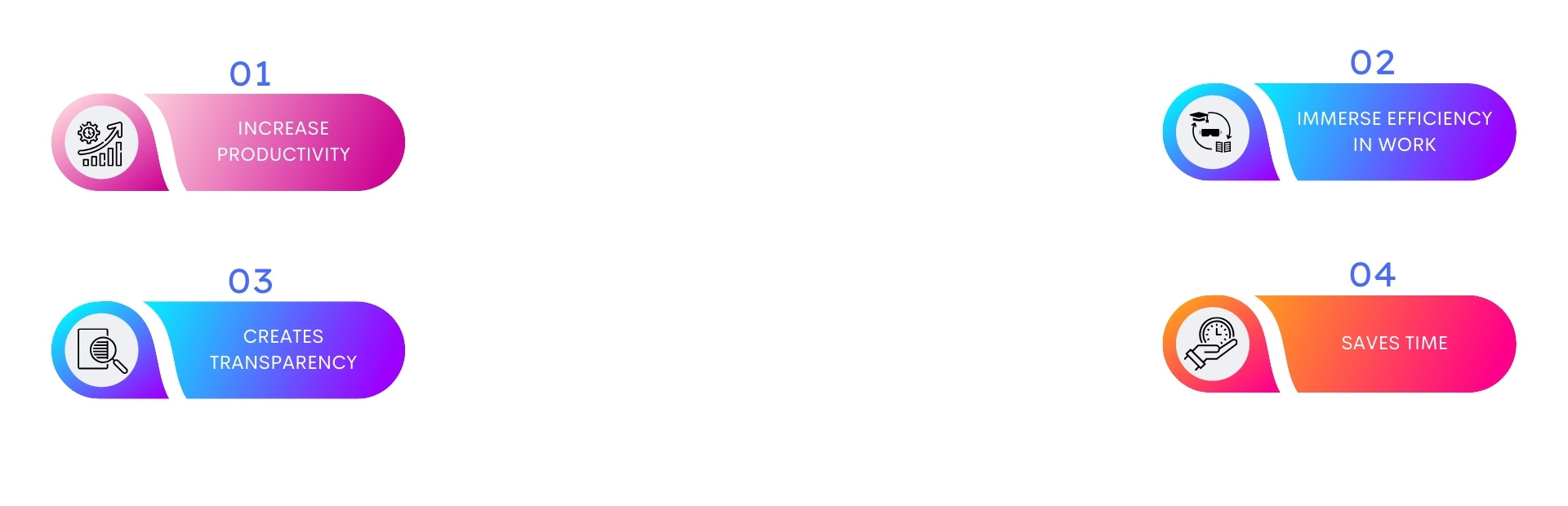
1. Increase Productivity: They provide technical support and AI assistance in operations, which could enhance productivity. The employees need to focus on the essentials, and the software will take care of the rest. They help with smart work instead of hard work.

2. Immerse Efficiency in Work: Business tools are designed to improve workflow efficiency. They allow the organization to store data in one place, give access to authorized departments, ensure the security of essential documents, and provide digital assets for creation and innovation. This leads to excellent output, seamless team collaboration, better management, and efficient workflow.

3. Creates Transparency: As business tools provide all the data and information in one place and give full access to the related departments and authorized individuals, they create an environment where everything is clear like crystal, leading to transparency in work flow.

4. Saves Time: The team often requires digital assets like photos, videos, soundtracks, and music for creation work, especially by the designers and creators. Business tools offer them elements that could provide them a starting point, and then they can create their own craft. It helps them in reducing the time in thinking about what to do.


Explore More:


Best Platforms Offering Business Tools

1- Appsumo :

  • 1 million+ members globally
  • Risk-free trial support
  • Lifetime access feature
  • 1.5M- Sumo-lings
  • $10M- spent on advertising partner products

2- Dealfuel :

  • 30-day refund policy
  • Lifetime deals
  • Exclusive access to Masterclasses
  • Deals for web developers, graphic designers, etc
  • Offers a special 25% membership discount sitewide.

3- RocketHub :

  • AI-powered solutions
  • Customer Feedback
  • Instant access to real-time buyers
  • Get more sales by listing your product on RocketHub
  • Provides instant access to real buyers actively seeking reliable software solutions


Conclusion

In the end, the existence of business tools makes operational activities way more seamless. You can use them to avoid repetition, lack of communication, and wastage of time, and they can make your human resources more productive. With the help of AI in creation and innovation, business tools always prove to be the best option for helping hands. All you need to do is identify that which lifetime deal platform can offer you the best deals and tools for your business.


Learn More:

Frequently Asked Questions

What are business tools?

Business tools are software or applications designed to help businesses perform various functions more efficiently, such as project management, communication, financial tracking, and customer relationship management.

Why are business tools important?

Business tools help streamline operations, improve productivity, enhance communication, manage projects effectively, and support decision-making. They can automate repetitive tasks, improve accuracy, and save time and resources.

How do I choose the right business tool for my company?

Consider factors like the specific needs of your business, ease of use, integration capabilities with existing systems, scalability, cost, and customer support. It’s often helpful to test a few options through free trials or demos.

How can productivity tools improve my workflow?

Productivity tools help organize tasks, manage time, and collaborate efficiently. They offer features such as task lists, calendars, note-taking, and document sharing, which help in staying organized and focused.

What is project management software?

Project management software is a tool used to plan, track, and manage project tasks and milestones. It helps in organizing project timelines, assigning tasks, managing resources, and tracking progress.

How can project management tools help with team collaboration?

These tools facilitate communication through shared workspaces, task assignments, and progress tracking. They often include features like real-time updates, file sharing, and discussion boards that enhance team collaboration.

What are communication tools in a business context?

Communication tools are platforms that facilitate internal and external communication within a business. They include email clients, messaging apps, video conferencing tools, and collaboration platforms.

How can communication tools improve team interactions?

These tools provide various channels for interaction, such as instant messaging, video calls, and file sharing. They help teams stay connected, share information quickly, and resolve issues in real time.

What are financial management tools?

Financial management tools help businesses manage their finances, including budgeting, accounting, invoicing, and financial reporting. They can track income and expenses, generate financial statements, and ensure compliance with tax regulations.

How can a CRM tool improve customer relationships?

CRM tools provide a centralized database for customer information, track communication history, and automate follow-ups. They help in personalizing interactions, improving customer service, and increasing sales effectiveness.

How important is integration with other tools?

Integration is crucial for ensuring that different tools and systems work together seamlessly, reducing manual data entry and improving efficiency. It allows for data synchronization and streamlines workflows.

Our Best Pick

Cold Plunging: Transform your Fitness Journey Today

Cold Plunging: Transform your Fitness Journey Today

Cold Plunging: Transform your Fitness Journey Today

Explore the benefits of cold plunging today

Cold plunge. A global phenomenon that has become popular, courtesy of its health benefits. Apart from becoming an online trend, it has also caught the attention of people from around the globe to get the right equipment for the same.

In case you are looking to understand what cold plunging is about, you have come to the right place.


Cold Plunges Defined

For those of you that don’t know what it is about, cold plunging is one aspect of cold water therapy or cold water immersion, which is a practice that involves immersing oneself in cold water temperatures, usually for some type of health benefit.


How to Cold Plunge

Cold water immersion can be performed in various locations, such as indoor or outdoor tubs, specially designed tanks or plunge barrels, local spas and even cold bodies of water.

Some studies suggest 50 to 59 degrees Fahrenheit (10 to 15 degrees Celsius) to be an optimal temperature range for cold plunges focused on reducing muscle soreness.

For individuals cold plunging for the first time, experts recommend gradually easing into the practice to build a tolerance to frigid temperatures. Beginners should aim for no more than 10 to 15 minutes of cold exposure.


Explore More


Perks of Cold Plunges

1. Improved heart health: In a 2016 review researchers noted several studies that suggest cold plunging or cold water therapy can boost blood flow, reduce heart rate, and improve overall cardiovascular health.

2. Improved metabolism: The same 2016 review suggests that cold plunges may have beneficial effects on metabolism and body fat, including a reduced risk of metabolic diseases and reduced body fat.

3. Reduced pain: There’s a reason ice baths have been recommended for sore muscles for generations — according to a 2022 review numerous studies have shown that cold water therapy can reduce swelling, lessen the perception of pain in the body, and speed muscle recovery.

4. Boosted mood: There’s a wealth of research to suggest that a cold plunge results in a temporary mood boost that may extend to long-term mental health benefits, including reduced anxiety and depression.

5. Improved insulin sensitivity: According to a 2022 review countless studies have shown that voluntary cold water exposure can improve insulin sensitivity and reduce insulin resistance.

6. Stronger immune system: In a 2016 study on cold showering — which has been shown to have a similar impact to cold plunging — researchers found the practice may improve the immune system of otherwise healthy adults. Showering in cold water, or for at least 30 seconds, resulted in a 29% reduction in sick days in participants. By comparison, regular physical activity resulted in a 35% reduction in sick leave.

7. Reduced inflammation: Cold plunges have been heavily associated with reduced inflammation. Since heightened inflammation is associated with a number of chronic conditions, this could potentially help stave off disease.


How to Do it? Cold Plunge

Plunge: Recovering after an intensive workout session is something that most individuals and even some athletes struggle with, which can lead to injuries. Cold bath recovery sessions have recently become mainstream, majorly because of their benefits.

This is where the Plunge comes in. It has taken the market by storm, and we are here to find out whether it is what the brand claims it to be or just another expensive publicity stunt for the rich. So, let’s get started with our plunge review.

The simple design comes up with plug-and-play technology that allows for quick installation without the need for a professional plumber. Simply fill the tub up to the brim with a water hose and turn it on to get started.

The fiberglass tub, combined with an acrylic design and metal base, ensures that it can be installed both indoors and outdoors.

It even comes with an underwater lighting system for early-morning or late-night plunges. An impressive 20-micron filter that picks up all kinds of debris or hair that it accumulates. The brilliant design allows for constant circulation of water to provide clean water for extended periods of time.


Accessories

  • Cover: There is an insulated cover that can be locked to maintain the safety of young kids and to make sure that the water uses less power.
  • Rubber Ducky: In case you feel too lonely with your cold Plunge, the firm even offers a rubber ducky to keep you company.
  • Phone Dock: A suction cup phone dock is also available for use once you complete the purchase of the Plunge.


Learn More about Cold Plunging

Conclusion

Cold plunging has become a global trend.Incorporating cold plunges into your routine can offer a range of benefits that extend beyond just physical recovery. From reducing inflammation and muscle soreness to enhancing mood and alertness, the cold plunge is a powerful tool for those looking to boost their overall well-being. While the initial shock of cold water can be intense, the long-term rewards—improved circulation, reduced stress, and enhanced physical resilience—make it a compelling practice for many.

Frequently Asked Questions

What is a cold plunge?

A cold plunge is a form of cold therapy where individuals immerse themselves in cold water, typically at temperatures ranging from 45°F to 55°F (7°C to 13°C). It’s often used to enhance recovery, reduce muscle soreness, and improve circulation.

What are the benefits of cold plunging?

Cold plunging can provide several benefits, including reduced inflammation, improved muscle recovery, enhanced mood, increased alertness, and potential boosts in metabolism. It may also improve circulation and help with stress relief.

How long should you stay in a cold plunge?

Beginners should start with shorter durations, around 1 to 3 minutes. Over time, individuals can gradually increase their time, aiming for 5 to 10 minutes as they become more accustomed to the cold.

Is cold plunging safe for everyone?

While many people can safely enjoy cold plunges, those with certain medical conditions, such as cardiovascular issues, asthma, or Raynaud’s disease, should consult a healthcare professional before trying it. Always listen to your body and avoid prolonged exposure to cold.

How often should you do a cold plunge?

Frequency can vary based on individual goals and tolerance. Many people find benefits from doing cold plunges a few times a week, while athletes may use them after intense training sessions.

What should I do before a cold plunge?

It’s advisable to warm up your body before entering a cold plunge. Engage in light exercise or stretching to prepare your muscles and circulation. Staying hydrated and breathing deeply can also help manage the shock of the cold.

What should I do after a cold plunge?

After a cold plunge, it’s beneficial to warm up your body gradually. You can do this by taking a warm shower, wrapping yourself in warm clothing, or using blankets. Hydrating and refueling with nutrients can also aid recovery.

Can cold plunges help with muscle soreness?

Yes, cold plunges are commonly used by athletes to help reduce muscle soreness and inflammation after intense workouts. The cold water can constrict blood vessels, reducing swelling and promoting recovery.

Is a cold plunge the same as an ice bath?

While they are similar, a cold plunge usually involves water temperatures that are not as extreme as ice baths. Ice baths typically use water mixed with ice to reach lower temperatures, while cold plunges are often just cold water without ice.

Can I do a cold plunge at home?

Absolutely! You can create a cold plunge at home using a bathtub, a large container, or a dedicated cold plunge tub. Just fill it with cold water, and you can add ice if you prefer lower temperatures. Always ensure safety by monitoring how your body reacts.

Our Best Pick

Verify and Connect: Stay Safe from Online Scammers and Threats

Verify and Connect: Stay Safe from Online Scammers and Threats

Verify and Connect: Stay Safe from Online Scammers and Threats

Explore the top platforms for professional tools for business

  • 1 million+ members globally
  • Risk free trial support
  • Lifetime access feature

(5/5)

Why Business Tools are a Modern Necessity?

Business tools are the backbone of any business, as they help streamline a firm’s operations and establish a strong communication bridge. Here are some of the benefits of business tools:-

1. Increase Productivity: They provide technical support and AI assistance in operations, which could enhance productivity. The employees need to focus on the essentials, and the software will take care of the rest. They help with smart work instead of hard work.

2. Immerse Efficiency in Work: Business tools are designed to improve workflow efficiency. They allow the organization to store data in one place, give access to authorized departments, ensure the security of essential documents, and provide digital assets for creation and innovation. This leads to excellent output, seamless team collaboration, better management, and efficient workflow.

3. Creates Transparency : As business tools provide all the data and information in one place and give full access to the related departments and authorized individuals, they create an environment where everything is clear like crystal, leading to transparency in work flow.

4. Saves Time: The team often requires digital assets like photos, videos, soundtracks, and music for creation work, especially by the designers and creators. Business tools offer them elements that could provide them a starting point, and then they can create their own craft. It helps them in reducing the time in thinking about what to do.

Best Platforms Offering Business Tools


1- Appsumo :

✅ 1 million+ members globally

✅ Risk-free trial support

✅ Lifetime access feature

✅ 1.5M- Sumo-lings

✅ $10M- spent on advertising partner products

2- Dealfuel :

✅ 30-day refund policy

✅ Lifetime deals

✅ Exclusive access to Masterclasses

✅ Deals for web developers, graphic designers, etc

✅ Offers a special 25% membership discount sitewide.

3- RocketHub :

✅ AI-powered solutions

✅ Customer Feedback

✅ Instant access to real-time buyers

✅ Get more sales by listing your product on RocketHub

✅ Provides instant access to real buyers actively seeking reliable software solutions

Frequently Asked Questions

What are professional tools for businesses?

Professional tools for businesses include software, platforms, and applications designed to improve business operations, enhance productivity, and facilitate various functions such as communication, project management, accounting, and customer relationship management (CRM).

How do I choose the right tools for my business?

Identify your business needs and goals, research available tools, evaluate their features, consider usability and cost, check reviews, and take advantage of free trials to test their effectiveness in your specific context.

What are some common categories of business tools?

Common categories include project management tools (e.g., Asana, Trello), CRM software (e.g., Salesforce, HubSpot), communication tools (e.g., Slack, Zoom), accounting software (e.g., QuickBooks, Xero), and collaboration platforms (e.g., Microsoft Teams, Google Workspace).

How important is integration with existing systems?

Integration is crucial for seamless operations, as it allows different tools and systems to work together efficiently, reducing manual data entry and improving workflow automation.

What should I consider regarding security when choosing business tools?

Evaluate the tool’s data protection measures, encryption standards, compliance with industry regulations (e.g., GDPR, HIPAA), and the provider’s track record in handling security incidents.

Are there free business tools available, and are they reliable?

Yes, there are many free tools available, often with basic features suitable for small businesses or startups. However, reliability depends on the provider, and free versions may lack advanced features or support.

How can I ensure my team effectively adopts new tools?

Provide proper training, encourage feedback, ensure the tool’s interface is user-friendly, and gradually integrate the tool into daily workflows to help your team adjust.

How often should I review and update my business tools?

Regularly review tools, at least annually, to ensure they still meet your business needs, leverage any new features, and assess if there are better alternatives available.

What are some signs that a tool may not be suitable for my business?

Signs include poor user adoption, frequent technical issues, lack of support, high costs compared to value, and difficulty integrating with other systems.

Can I customize business tools to fit my specific needs?

Many tools offer customization options, such as custom fields, workflows, and integrations, to better align with your specific business processes and requirements.

Our Best Pick

Cloud Storage: Best Way to Secure and Manage Data for the Organizations

Cloud Storage: Best Way to Secure and Manage Data for the Organizations

Cloud Storage: Best Way to Secure and Manage Data for the Organizations

Explore the top options for data management and security for businesses

Box lnc.

Experience AI-powered content management solutions for your business.

One Drive

Enjoy compatibility with every device for seamless operations and management.

Dropbox

Pick from individual and team options for effective business solutions

Data management and secrecy are crucial to an organization’s success. As the organization grows, securing confidentiality and efficient documentation becomes more important. With the growth of technology, it has become easy to manage workflow with data management, secure file sharing, and easy accessibility with a safe and secure path.

Cloud Storage is making things more efficient and effective for business organizations. It offers a place where organizations can work and collaborate easily in a safe environment.


What is Cloud Storage?

Cloud Storage is a workplace where organizations or companies can store their data and important information for future use and easy accessibility for every employee. There are many cloud storage service providers in the market, such as Google Drive, One Drive, Box, Dropbox, and the list goes on.

It helps you to be more organized and manage to work efficiently and effectively. It provides businesses and individuals with a platform for storing, sharing, and collaborating on documents and other content. It offers you services like: –

  • Secure File Sharing

  • Simple file sharing

  • File transfer

  • Cloud backup

  • Building custom apps

  • Cloud storage

  • Cloud content management

  • Secure cloud content

  • Online file storage

  • Content Migration

Explore More:-


Why is it Important for Business Organizations?

Cloud Storage plays an important role in the operations of any organization. As it plays multiple roles such as data saver, workflow management, resource to employee productivity, and many more, it is difficult to describe it in one word. Hence, we are listing numerous benefits of cloud storage to your organization.

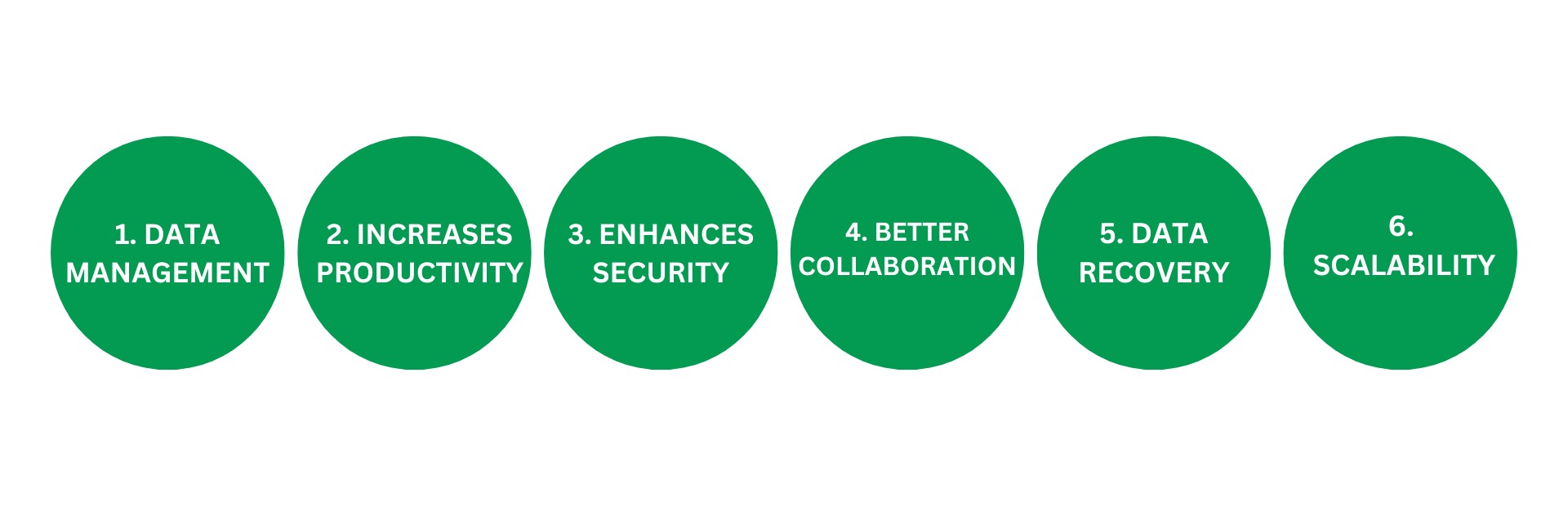
1. Data Management: Within a business, numerous departments generate a significant volume of records and documents. Storing these in physical format poses several challenges, including the risk of damage or misplacement. This underscores the need for a more efficient and secure storage solution.

Cloud storage revolutionizes data management by eliminating the need for physical storage. It securely houses digital documents, making them accessible whenever and wherever needed. This not only prevents misplacements but also ensures easy data management.

2. Increases Productivity: Hybrid and remote working is the new trend in working professionals’ lives, as it allows them to work wherever they require without any need to commute. This new trend increases the demand for cloud storage management as it allows each and every employee to access work-related information and documents easily without asking too many individuals.

This enhances the pace of work and indirectly impacts productivity; for instance, if an employee works in another country and needs to access some documents immediately to work, he could easily use the cloud storage space without delay. It will increase productivity and eliminate overdues of operations, which could be possible in communicating and asking for physical copies of documents.

3. Enhances Security: The most important benefit of cloud storage is it makes your documents more secure. To access documents or any kind of information on cloud storage it requires to take permission. For example, you can manage who can view, edit, or share your documents. You can set permissions that make your document secure, as no one outside the organization can access the information. You can even check who is currently working on the document, who has access to see it, or what edits have been made to the same.

It provides you with the entire history of every activity performed on the document, including the name and identity of the performer and the exact time and date. Moreover, if any outsider tries to open the document, it always asks for the owner’s password or permission.

4. Better Collaboration: In companies with multiple departments and thousands of employees working under the same roof, collaboration becomes difficult in terms of data sharing and information exchange. With cloud storage, however, it becomes easy as multiple departments connect with each other on a single workspace, and they can ask for permission to access some specific piece of information for their use without communicating with individual employees. It makes collaboration easy and seamless in the organization.

5. Data Recovery: Sometimes, it happens that it might be due to some technical or cyber security issues. Companies can lose important information, but the cloud storage system helps them recover the data within seconds and start work again from the point where they left it. It allows you to recover the data without any mess easily.

6. Scalability: As the organization grows, data parallelly grows, and to manage it, you need to buy some extra space. To increase the storage capacity, you can easily buy extra storage or update your plan to get some extra benefits from cloud storage. It helps you to focus on the work efficiently and not on how to manage the information.


Meet The Expert of Cloud Storage

You have too many options in cloud storage service providers, but Box is best in this vertical. Box is used by various organizations, from small businesses to large enterprises, to manage their content and collaborate more effectively. It caters to industries with diverse needs, including finance, healthcare, technology, and more. The company’s focus on security, collaboration, and integration has made it a popular choice for businesses seeking a comprehensive cloud content management solution

Pros

Deep OS integration
Top security protection
10GB free cloud storage

Cons

Can get costly
Limited consumer options
Some feature overlap

Why Did We Choose It for You?

It provides various tools and features as part of its cloud content management platform, including:-

Box Drive: It allows users to access Box files directly from their desktop, enabling seamless integration with the file system.

File Sharing: This tool leverages users with a simple file-sharing process. It also offers a secure file-sharing platform, which ensures your document’s security. It allows the sharing of files securely with internal and external collaborators, as well as controlling access permissions.

Real-Time Editing: Enables multiple users to collaborate on documents, spreadsheets, and presentations in real time.

Comments and Annotations: Users can add comments and annotations to files, facilitating communication and feedback within the platform.

Encryption: Implements encryption measures to secure data during transmission and storage.

Access Controls: Allows administrators to set access permissions, ensuring that users only have the necessary level of access to files and folders.

Automation: Enables the automation of repetitive tasks, approvals, and notifications to streamline business processes.

Workflow Templates: Provides pre-built templates for common workflows, making it easier to set up automation.

APIs: It offers a set of APIs for developers to build custom applications and integrations.

  • SDKs: Provides SDKs for various programming languages to simplify the development process.

Box Vs. One Drive

Box

10 GB of free storage space.
Unlimited storage space for paid.
Supports more types of file formats.
Remote uploading of 30 MB per file via IFTTT.

DropBox

2 GB of free storage space
2 GB space is free, 5 TB paid.
Supports fewer types of file formats.
It does not support remote uploading.

Box Vs. One Drive

Box

Offers 10 GB of free storage space.
Unlimited storage space for the paid version
It is used for professional as well as personal storage.
100 GB for personal accounts, unlimited for business a/c.
The maximum file is 250 MB for free and 150 GB for paid.

One Drive

Offers 5 GB of free storage space.
There is limited storage space for the paid version.
Professionals mostly use it.
It can provide paid storage space of a maximum of 6 TB.
The maximum file size in OneDrive is 250 GB.

Learn More 

Wrapping Up

In a nutshell, Box is the most affordable and efficient workspace for cloud storage and data management. It offers more premium storage features than its competitors in the market. Tools like secure file sharing, encryption, and automation make it a more secure place for organizations and make operations seamless and safe.

Box is a complete tool for sharing, protecting, e-signing, collaborating, and transferring documents. It has everything in one place, and you can choose whatever you want to use. Box also allows you to integrate with other apps so that you don’t have to switch platforms repeatedly whenever you decide to work.

Box makes documentation easy and straightforward. It also emphasizes security, which makes it safe for organizations and personal information. Now, it’s up to you to utilize this tool for work efficiency and productivity.

Frequently Asked Questions

What is cloud storage?

Cloud storage is a service that allows users to save data and files on remote servers accessed via the internet. It provides a way to store, back up, and share data without using physical storage devices.

How does cloud file sharing work?

Cloud file sharing involves uploading files to a cloud storage platform and sharing them with others through links or invitations. Recipients can access the files from any device with internet connectivity, depending on the permissions set by the owner.

What are the benefits of using cloud storage?

Benefits include accessibility from anywhere, scalability to accommodate growing data needs, cost savings on physical storage, collaboration capabilities, data backup and recovery options, and enhanced security features.

Is my data safe in the cloud?

Cloud storage providers typically use advanced security measures, including encryption, two-factor authentication, and regular security audits, to protect user data. However, it’s essential to choose a reputable provider and follow best practices for securing your data.

Can I use cloud storage offline?

Some cloud storage services offer offline access, allowing users to sync files to their devices. Changes made offline are automatically synced to the cloud when the device reconnects to the internet.

How much storage do I need?

The amount of storage you need depends on the types and volume of files you plan to store. Assess your current data usage and consider potential growth to determine an appropriate storage plan.

What file types can I store and share in the cloud?

Most cloud storage platforms support a wide range of file types, including documents, images, videos, audio files, and application files. Some platforms may have limitations on file size or specific formats.

How do I share files securely?

Secure file sharing can be achieved by using password-protected links, setting expiration dates for access, and controlling permissions (e.g., view-only or edit access) for shared files.

What happens if I delete a file from cloud storage?

Deleted files are often moved to a trash or recycle bin, where they can be recovered within a specified period. After that period, they may be permanently deleted, depending on the provider’s policy.

Can I transfer data between different cloud storage providers?eb hosting cost?

Yes, data can be transferred between different cloud storage providers, but it may require third-party tools or services to ensure a smooth transition, especially if there are large amounts of data or complex file structures.

Our Best Pick

Enjoy Seamless File Sharing With Best-In-Class Service Provider

Enjoy Seamless File Sharing With Best-In-Class Service Provider

Enjoy Seamless File Sharing With Best-In-Class Service Provider

  • Collaborate and share
  • Protect sensitive data
  • Cloud storage, e-signatures, and whiteboarding
  • Automate tasks with no-code workflows

Explore top cloud management platforms for businesses

  • Upload files upto 150GB
  • 100K API calls per month
  • 1,500+ app integrations
  • Unlimited Storage

(5/5)

Pros

Deep OS integration
Top security protection
10GB free cloud storage

Cons

Can get costly
Limited consumer options
Some feature overlap

Now that you have weighed in on the up and down sides, let us learn how it fares against giants of the market.

Box Vs. DropBox

Box

10 GB of free storage space.
Unlimited storage space for paid.
Supports more types of file formats.
Remote uploading of 30 MB per file via IFTTT.

DropBox

2 GB of free storage space
2 GB space is free, 5 TB paid.
Supports fewer types of file formats.
It does not support remote uploading.

How Businesses Can Benefit from It?

1. Data Management: Within a business, numerous departments generate a significant volume of records and documents. Storing these in physical format poses several challenges, including the risk of damage or misplacement.

2. Increases Productivity: Hybrid and remote working is the new trend in working professionals’ lives, as it allows them to work wherever they require without any need to commute.

3. Enhances Security: The most important benefit of cloud storage is it makes your documents more secure. To access documents or any kind of information on cloud storage it requires to take permission.

4. Better Collaboration: In companies with multiple departments and thousands of employees working under the same roof, collaboration becomes difficult in terms of data sharing and information exchange.

5. Data Recovery: Sometimes, it happens that it might be due to some technical or cyber security issues. Companies can lose important information, but the cloud storage system helps them recover the data within seconds and start work again from the point where they left it.

6. Scalability: As the organization grows, data parallelly grows, and to manage it, you need to buy some extra space.

Frequently Asked Questions

What is a cloud content management storage platform?

A cloud content management storage platform is a service that allows individuals and organizations to store, manage, share, and collaborate on files and data over the internet. These platforms provide scalable storage solutions and enable users to access their content from anywhere.

What are the benefits of using a cloud storage platform?

Key benefits include scalability, accessibility, collaboration, cost-effectiveness, security, and data backup. Users can easily share files and collaborate in real time, while the platform ensures data is secure and backed up.

How secure is cloud storage?

Cloud storage platforms typically offer robust security features, including data encryption, two-factor authentication, and access controls. However, users should review the platform’s security measures and ensure they comply with their organization’s security policies and industry standards.

Can I access my files offline?

Some cloud storage platforms offer offline access, allowing users to sync files to their devices and access them without an internet connection. Changes made offline are usually synced once the device reconnects to the internet.

What is the difference between cloud storage and cloud backup?

Cloud storage provides a centralized location for storing and accessing files, while cloud backup is a service that automatically copies and stores data to protect against data loss. Cloud storage is typically used for active file management, while cloud backup is for disaster recovery.

How do I share files using a cloud storage platform?

Most platforms allow users to share files by generating a shareable link or inviting collaborators via email. Users can usually set permissions to control who can view, edit, or comment on the shared files.

What happens if I exceed my storage limit?

When you exceed your storage limit, the platform may restrict uploading new files until you free up space or upgrade to a higher storage plan. Some platforms may offer options to purchase additional storage.

Are cloud storage platforms suitable for businesses?

Yes, cloud storage platforms offer business-specific features like enhanced security, team collaboration tools, and integration with other business applications, making them suitable for organizations of all sizes.

Can I migrate my data from one cloud storage platform to another?

Data migration is possible but may require additional tools or services to ensure a seamless transition. Some platforms offer built-in migration tools, while third-party services can assist with more complex migrations.

How is data integrity maintained in cloud storage?

Cloud storage platforms use various techniques to ensure data integrity, such as checksums, data replication, and regular integrity checks, to protect against data corruption and loss.

Our Best Pick