
Choose the Right Partner in Web Hosting: Ensure the Perfect Growth of Your Business

Choose the Right Partner in Web Hosting: Ensure the Perfect Growth of Your Business

Choose the Right Partner in Web Hosting: Ensure the Perfect Growth of Your Business

Learn and explore web hosting to pick the perfect one for your business needs.

HostGator

Experience 99.9% uptime and a 45-day guarantee today

Hostinger

Get 24/7 support assistance to ensure seamless website operations

Bluehost

Get a one stop solution dashboard with fun plugin and tool options

To achieve your business’s desired goals and success, you need a perfect path forward. Web Hosting provides that path and supports your hard work. A good partner makes your way to success easy, as it holds when you need it most.

Hence, when choosing the right web hosting provider for your website, you need to be more alert and aware of its needs.

But before I tell you who the right web hosting provider is for you, let me give you a glimpse of what web hosting is and the different types of it.


What is Web Hosting?

Web Hosting is responsible for providing space for your website on the Internet. It allows your site to store HTML, Images, videos, and the whole website content. Basically, it provides a stage to showcase your site and fulfill your goals. There are three different types of web hosting services based on your website’s needs.

1. Shared Hosting: As the name suggests, it is a common platform for various website owners who share hosting services with each other. The hosting provider uses a single computer to host yours and several others. In this kind of hosting, you have to share the CPU, memory, storage space, and web server software with others. This makes it more affordable, as it is like ‘Carpooling.’ But still, it has some disadvantages, like it offers you less security. For instance, if any of the sites face a cyber attack, all the sites on the same server will be affected and face the same challenges.

It is suggested that you do not use this kind of hosting if you are running a big business and want to sell your product online because all these have payment gateways involved. This will damage the personal information of your users and also affect your website performance.

On the other hand, it is a great option for personal websites like blogging as it does not involve any transactional activity, and less money can be spent.

2. Virtual Private Server (VPS)/ Cloud-Based Hosting: This web hosting service’s hardware remains the same, but the servers are different. In simple terms, the hosting provider runs your site with the same computer as many others, but you have a completely different server for your site that is not shared with others. This is why it is called Virtual Private Server, which means the website owner has private virtual servers for hosting their sites.

VPS or cloud-based VPS hosting protects your site from cyber-attacks and many other threats, but you’ll need to pay more for it than for shared hosting. It gives you complete control over your OS, CMS, and other software. VPS or cloud-based VPS hosting is ideal for most business websites.

3. Dedicated Hosting: Dedicated Hosting means you have complete control over the server, hardware, and software, and no other websites use your space for hosting. It makes your website faster and more secure than VPS and shared hosting.

It is also more expensive than the other two hosting services because it requires complete staff and technical support. Sometimes, you need additional staff to manage the hosting services, and if you don’t want to hire anyone, then you need to pay extra fees to the provider for the same work, which will directly add more cost.


For More info:-


Points of Consideration

Whenever you choose a hosting platform for your business, you need to be careful about some crucial and vital points. Your awareness can help you to choose the best option for and enhance your business with great hosting services. You must be thinking about the factors. No worries anymore, as we have done this job for you and are presenting you with the list of essential points or factors you need to consider.

Factors to evaluate include the following:

  • Identify Your Need: The first and most important thing is your budget. You need to be clear about what you expect from your hosting provider. There are numerous websites like blogging, e-commerce, brand promotions, etc., and they all have different needs and purposes. Hence, you must define what suits you best for hosting, whether shared, VPS or dedicated. Shared is the most affordable option and dedicated could be the most expensive option. However, they all have different advantages, as we have discussed. So, your need is crucial for your budget or cost.

  • Scalability: Ensure the scalability of your hosting services, whether upgrading according to your business’s growth or increasing traffic. This is directly related to your website’s performance. Heavy-traffic websites need good hosting services to ensure less loading time.

  • Security: What security measures does your hosting provider offer, such as SSL certificates, regular backups, malware scanning, firewalls, and DDoS protection? These ensure that your website is protected from cyber-attacks and threats.

Best Web Hosting Platforms: Our Pick

Although there is a lengthy list of the best web hosting platforms, our editors have chosen the top three to reduce stress. We have meticulously crafted deep research on the available platforms and picked the best of three for you.

Top web hosting platforms
1. Hostgator

Pros

Offers affordable prices
Unlimited storage and unmetered bandwidth

Cons

Add-on services at an extra cost.
Offers standard Uptime

2. Hostinger

Pros

Lowest prices in the industry
Fast loading times and reliable uptime
Free Domain and SSL
Variety of Hosting Options

Cons

Renewal rates can be significantly higher
Limited Features on Basic Plans
No Traditional cPanel
Frequent upsell attempts during the sign-up process

3. Bluehost

Pros

Strong WordPress Integration
User-friendly interface and c-Panel
Reliable uptime and good site speed

Cons

Extra Costs for Backups
Occasional slowdowns
No Monthly Billing Options for Basic Plans

Wrapping Up

The time has come when you have to make a decision, and you have all the relevant information for a great decision. From telling you what web hosting is, its type, and the best platforms for you, we have made your research easy and brought you almost to the final step. Don’t waste more time researching, just go with the right one and ensure the unstoppable success of your business in this era of the Internet and information.

In case you are looking to learn more about web hosting and how it can make things easier for you, read our in-depth article for the same.

Frequently Asked Questions

What is web hosting?

Web hosting is a service that allows individuals and organizations to make their websites accessible on the Internet. Hosting providers offer the technologies and infrastructure needed to store and deliver web pages to users.

How does web hosting work?

Web hosting works by storing your website’s files on a server. When someone types your website’s domain name into their browser, their computer connects to the server where your site is hosted and retrieves the files, displaying them as a web page.

What are the different types of web hosting?

The main types of web hosting are:

Shared Hosting
VPS (Virtual Private Server) Hosting
Dedicated Hosting
Cloud Hosting
Managed Hosting

Which type of hosting is best for my website?

The best type of hosting depends on your website’s needs. Shared hosting is good for small sites or blogs, VPS and cloud hosting are better for growing sites with moderate traffic, and dedicated hosting is ideal for large sites with high traffic and specific customization needs.

What is uptime and why is it important?

Uptime refers to the amount of time a server is operational and accessible. High uptime (99.9% or more) is crucial as it ensures your website is available to visitors most of the time.

What is bandwidth in web hosting?

Bandwidth is the amount of data transferred between your website and its users over a specific period. More bandwidth is necessary for sites with high traffic or large files.

What is disk space in web hosting?

Disk space is the amount of storage allocated to your website on the server. It includes space for all your files, databases, emails, and other content.

How can I ensure my website is secure?

Choose a hosting provider that offers robust security features like SSL certificates, firewalls, regular backups, malware scanning, and DDoS protection.

What kind of support can I expect from a web hosting provider?

Most providers offer 24/7 customer support through various channels like phone, email, and live chat. Some also provide a knowledge base and tutorials.

How much does web hosting cost?

The cost of web hosting varies widely depending on the type of hosting and the features included. Shared hosting can be as low as a few dollars per month, while dedicated hosting can cost hundreds of dollars per month.

Our Best Pick

Comparing the Top 10 Platforms for Selling E-commerce Products Online

Comparing the Top 10 Platforms for Selling E-commerce Products Online

Comparing the Top 10 Platforms for Selling E-commerce Products Online

  • Build an impressive website with creative elements
  • AI-Assistance in product description
  • Payment gateways to handle international currencies
  • Inventory tracking and management features

Exploring the Top 10 platforms for starting your product selling business online

SquareSpace

Fulfill your website building needs today

Shopify

Customize from tons of options to suit your selling needs

WooCommerce

Build powerful ecommerce solutions

  • Plans starting at just $16/mo*
  • Fluid engine for seamless repositioning and resizing
  • Pick from 13 different industry niches
  • Fast and smooth designing with blueprint AI

(5/5)

  • Plans starting at just 17.86/mo
  • Guaranteed 99.99% uptime for accessibility at all hours.
  • Free hosting solutions included with PCI compliance.
  • Unique features like Shopify Flow, Launchpad, Scripts for advanced automation.

(5/5)

  • Plugins starting at just $1
  • Extensive customisation options available
  • Seamless integration with WordPress for functionality
  • Offers technical hands-on support

(5/5)

  • Management tools for big businesses
  • Plans start at $29 per month
  • Fully hosted

(5/5)

  • Plan starts at $27 per month
  • Integrated sales channels
  • Mobile app features

(5/5)

  • Plans start at $31.50 per month when paid annually.
  • Helps small businesses get online with no frills
  • More than 30 payment gateways

(5/5)

  • Supports custom store designs
  • Third-party extensions available
  • Handles International Transaction

(5/5)

  • Extensive shopping cart solution
  • E-commerce builder is free for existing Shift4Shop checkout users
  • Paid plans start at $29 per month.

(5/5)

  • fully hosted e-commerce platform
  • Free to set up and start selling
  • Designed for artists and creatives

(5/5)

  • Get paid support from third-party professionals
  • Amazon Seller Support is here to help
  • Fulfillment by Amazon (FBA) Service.

(5/5)

In case you want a step by step guide on how to start a product selling business online, click here to read our article for the same.

How Did We Review the Top 10 E-commerce Websites for Online Selling of Products?

For the remarkable success of your business in this online marketplace, you need to choose the correct online selling partner. To help you with this, we have made the above list. While making the list of top platforms we have considered some crucial factors to help you make correct decisions.

Business Needs and Goals: We have considered all types of business needs and goals, which helps us create a diversified list for all types of business.

Budget: We have checked each platform’s price list to provide you with the best, from setup fees to plugin and theme costs.

Ease of Use: The online marketplace involves too many features like payment gateways and SEO tools. We have checked the user-friendliness of the platforms to ensure the easy navigation.

Customization and Flexibility: Your website is the interface of your product, so its UI/UX needs to be more impressive. We have included only those platforms that offer you various template options to customize your site and make it more influential.

Payment Gateway Integration: Numerous payment gateway options are available in the market, so we ensure that the platform supports multiple payment gateways, allowing customers to choose their preferred payment method.

Security: Security is vital to the online marketplace as it involves money. If you do not take care of security, you can suffer financial loss. Hence, we ensure that we add platforms that offer security features, including SSL certificates, data encryption, and compliance with PCI-DSS standards, to protect customer data.

SEO and Marketing Tools: Site visibility is essential to survive in this competitive world. Therefore, we have provided those platforms that offer built-in SEO tools to help you improve your site visibility on search engines.

Mobile Responsiveness: With a growing number of customers shopping on mobile devices, we ensure the platform offers responsive design features, providing a seamless shopping experience on all devices.

Scalability: We have chosen platforms that can easily handle increased traffic, more extensive product catalog, and often transactions without compromising performance.

Integration with Other Tools: All those platforms are integrated with other essential business tools like accounting software, CRM systems, and email marketing to make your business more seamless. Analytics and Reporting: We ensure that the platform offers comprehensive analytical tools to track your business’s performance and help you make decisions.

Frequently Asked Questions

What is an e-commerce platform?

An e-commerce platform is a software solution that allows businesses to create, manage, and operate an online store where they can sell products or services.

Why should I use an e-commerce platform?

An e-commerce platform provides the tools and features needed to set up an online store, manage inventory, process payments, handle shipping, and engage with customers, making it easier to run your business online.

What factors should I consider when choosing an e-commerce platform?

Consider factors such as your business needs, budget, ease of use, customization options, payment gateway integration, security, SEO and marketing tools, mobile responsiveness, scalability, support, integration capabilities, and analytics features.

How do I know if a platform is scalable?

Check if the platform can handle increased traffic, a larger product catalog, and more transactions without compromising performance. Look for features like load balancing, CDN support, and the ability to upgrade plans or resources.

Are there any hidden fees associated with e-commerce platforms?

Some platforms may have hidden fees such as transaction fees, additional costs for premium themes or plugins, and charges for using certain payment gateways. It’s important to read the terms and conditions carefully.

What is the difference between subscription-based and self-hosted platforms?

A subscription-based platform (like Shopify) charges a monthly fee and includes hosting updates and support. A self-hosted platform (like WooCommerce) is open-source and requires you to arrange hosting, updates, and maintenance yourself.

What payment gateways are supported by e-commerce platforms?

Most e-commerce platforms support a variety of payment gateways, including PayPal, Stripe, Square, and credit card processors. Check if the platform supports your preferred payment methods and currencies.

How can I ensure the security of my e-commerce site?

Choose a platform with robust security features, including SSL certificates, data encryption, compliance with PCI-DSS standards, and regular security updates. Additionally, strong passwords should be implemented, and two-factor authentication should be used.

Can I customize the look and feel of my online store?

Yes, most e-commerce platforms offer themes and templates that you can customize to match your brand. Some platforms also allow for more extensive customization through coding or third-party plugins.

Do e-commerce platforms offer mobile-responsive designs?

Yes, most modern e-commerce platforms provide mobile-responsive designs to ensure a seamless shopping experience on all devices, including smartphones and tablets.

Our Best Pick

Best Website Builders of 2024: The Top 3

Best Website Builders of 2024: The Top 3

Best Website Builders of 2024: The Top 3

  • Customizable mobile responsive templates
  • Third-Party Integration compatibility with popular apps
  • Multiple security layer with SSL Certificate.
  • User friendly interface with tutorials

Bringing you the top 3 platforms for seamless web templates

SquareSpace

Fulfill your website building needs today

Envato Elements

Download unlimited creative assets to create seamless user experiences

Podia

Transform your projects to achieve the ultimate success

  • Plans starting at just $16/mo*
  • Fluid engine for seamless repositioning and resizing
  • Pick from 13 different industry niches
  • Fast and smooth designing with blueprint AI

(5/5)

  • Plans starting from $16.50/mo*
  • 19+ million artist-created assets and templates
  • Unlimited asset downloads on a single subscription
  • Team collaboration options for enhanced productivity

(5/5)

  • Start building at just $4/mo*
  • Build and sell digital assets seamlessly
  • Email automation options available
  • 24-hour creator community help and on-demand support

(5/5)

Summing Up

Choosing the right website builder from our carefully curated comparison can help you streamline your online journey by saving your time and energy so you can focus on what matters most–growing your business and connecting with your audience.

Our top recommendations not only offer powerful features and intuitive designs, but also empower you to create a professional, high-performing website with minimal effort. With our guidance, you’ll be equipped to make a confident decision that enhances your digital presence, save you countless hours, and simplify your path to success.

How Did We Review Platforms for Web Templates?

After a thorough research, we have chosen these top 3 platforms for you as web builders. During this research, we have considered some vital factors to ensure the trustworthiness of the list and make the perfect list for you. Here is the list of those factors that we have considered for you as a user:-

Ease of Use: We have checked user-friendliness, such as intuitive design and learning curve.

Customization Options: Checked the number of templates they offer and design flexibility.

Features and Integrations: Check the availability of tools such as SEO, e-commerce, etc. Along with this, we have also checked the third-party integration.

Performance and Reliability: We have checked the loading speed and uptime.

Mobile Responsiveness: how much adaptability they offer with different screen sizes.

Cost: Competitive pricing and good value for money.

Security: Whether they include SSL certificates and robust security features.

Scalability: Handles growth and offers advanced features.

Frequently Asked Questions

How to choose a good website template?

Check for responsiveness across devices.

Keep it SEO-friendly. Keep it SEO-friendly.

Ensure fast loading times.

Stay simple and on-brand.

Make sure it supports your goal.

Check that support is available.

Consider customization capabilities.

Pick a template that resonates with your audience.

Choose a user-friendly option.

What is the best platform to use to create a website?

Squarespace has nearly everything you could want from a website builder. An intuitive interface lets you create beautiful pages from hundreds of available templates. Widgets and mobile-specific tools add flexibility and functionality.

How do I install a web template?

Installation instructions vary by template. Typically, you will need to upload the template files to your web server or integrate them into your content management system. Detailed instructions are included with each template.

What factors should you keep in mind when building a template?

Know Your Audience. This is the first rule of thumb in any type of communication.

Think in Terms of Building Blocks.

Take Advantage of Integration Features.

Variety Is the Spice of Life.

Future-proof Your Design.

How to decide on website layout?

Define goals and audience. The layout of an ecommerce website will be widely different from an online magazine layout.

Research and inspiration.

Create a wireframe.

Information architecture.

Create the layout.

Navigation design.

Iterate and test.

How do I customize a web template?

You can customize a web template using HTML, CSS, and sometimes JavaScript. Many templates also come with a built-in editor or compatible with content management systems for easier customization.

What makes a great template?

A good template should have a good design hierarchy—in other words, it should use visual tools like text size and color to highlight the significance of information. The most important point should be set in the biggest and boldest type, while supporting text should be smaller.

How Does A Website Builder Work?

Website builders are platforms to build websites and customize them without needing to have coding skills. Users select a template, add content, and personalize the design using a visual interface. The site builder converts these choices into code, and the website is hosted on the platform’s servers. Updates and changes can be made through the same interface.

Is Creating a Website From Scratch Better Than Using a Website Builder?

Creating a website from scratch offers complete control for design and functionality but requires extensive technical skills, time, and resources. Using a website builder is more accessible and affordable, especially for individuals without coding expertise. Website builders offer templates and tools for customization, though the customization may be limited compared to building.

What’s the Difference Between a Site Builder and Web Design Software?

Both site builders and web design software can build a website but differ in flexibility. Most website builders provide templates and a no-coding drag-and-drop tool for customization. On the other hand, software like Adobe Dreamweaver requires technical skills to develop custom designs and code websites from scratch. Site builders are more accessible, while web design software suits complex and unique designs.

Our Best Pick

The Most Recommended E-commerce Platforms: Top Two Edition

The Most Recommended E-commerce Platforms: Top Two Edition

The Most Recommended E-commerce Platforms: Top Two Edition

  • Security features like PCI compliance, SSL certificate
  • Create responsive web stores seamlessly
  • 24/7 technical support for your online store
  • Multi-channel e-commerce options

Build online stores with ease and start selling today.

Expert Guidance

Learn from successful merchants

Business Growth

Scale your business

Branding Services

Build your brand from scratch

  • Plans starting at just 17.86/mo
  • Guaranteed 99.99% uptime for accessibility at all hours.
  • Free hosting solutions included with PCI compliance.
  • Unique features like Shopify Flow, Launchpad, Scripts for advanced automation.

(5/5)

  • Plugins starting at just $1
  • Extensive customisation options available
  • Seamless integration with WordPress for functionality
  • Offers technical hands-on support

(5/5)

The Ultimate eCommerce Platform Showdown

In the ever-evolving world of eCommerce, choosing the right platform can make or break your online business. Two of the most popular platforms on the market today are Shopify and WooCommerce. Both offer robust tools for creating, managing, and growing an online store, but they cater to different types of businesses and user needs. In this article, we’ll compare Shopify and WooCommerce across several key areas to help you decide which platform is the best fit for your business.

1. Ease of Use

Shopify: Shopify is renowned for its user-friendly interface. As a fully-hosted platform, it takes care of the technical aspects, such as hosting, security, and software updates, allowing you to focus on your business. The setup process is straightforward, and you can have your store up and running within minutes, even if you have no prior experience.

WooCommerce: WooCommerce, on the other hand, is a WordPress plugin, which means you need to have a WordPress website to use it. This offers incredible flexibility but also requires more technical know-how. You’ll need to handle hosting, security, and updates yourself or through a third-party service. While WooCommerce provides more control, the setup process can be more complex for beginners.

Verdict: Shopify wins in terms of ease of use, particularly for those who prefer a hands-off approach to the technical aspects of their store.

2. Design and Customization

Shopify: Shopify offers a wide range of professionally designed templates that are easy to customize. The themes are mobile-responsive and optimized for conversions. However, deeper customization may require knowledge of Shopify’s proprietary Liquid programming language.

WooCommerce: WooCommerce excels in customization. Since it’s built on WordPress, you have access to thousands of themes and plugins. The customization possibilities are virtually endless, allowing you to tweak every aspect of your store to match your brand’s vision. Moreover, you can access and modify the code directly, providing ultimate flexibility.

Verdict: WooCommerce is the better option for businesses that need extensive customization and have the technical skills to manage it.

3. Features and Integrations

Shopify: Shopify offers a comprehensive set of built-in features, including inventory management, payment processing, and SEO tools. Additionally, Shopify’s App Store provides thousands of apps to extend the functionality of your store, covering everything from marketing to shipping.

WooCommerce: WooCommerce is incredibly feature-rich as well, with a large ecosystem of plugins and extensions. However, since it’s open-source, many features you need might require additional plugins, some of which may come at a cost. WooCommerce integrates seamlessly with WordPress, allowing you to use any of the thousands of WordPress plugins.

Verdict: Both platforms offer extensive features, but Shopify’s out-of-the-box solutions are more streamlined, whereas WooCommerce offers greater flexibility through plugins.

4. Performance and Security

Shopify: Since Shopify is a hosted solution, it takes care of all performance and security concerns. Shopify guarantees fast loading times and reliable uptime, with built-in SSL certification and PCI compliance, ensuring that your customers’ data is always secure.

WooCommerce: With WooCommerce, performance and security depend on your hosting provider and the quality of your site’s setup. You’ll need to ensure your site is secure and optimized for performance, which might involve using additional plugins or services. is flexible, but it places the responsibility of performance and security on the store owner.

Verdict: Shopify offers better peace of mind in terms of performance and security, especially for those who prefer a fully managed solution.

5. Pricing

Shopify: Shopify has a clear pricing structure, with plans starting at $39 per month for the Basic Shopify plan. This includes hosting, SSL, and most of the necessary features to run an eCommerce store. However, transaction fees apply if you don’t use Shopify Payments, and the cost can add up quickly with premium themes and apps.

WooCommerce: WooCommerce itself is free, but costs can add up depending on the plugins, themes, and hosting services you choose. You’ll need to factor in the cost of hosting (which can range from $5 to $30 per month or more), domain registration, SSL certificates, and any premium plugins you may need.

Verdict: WooCommerce can be more cost-effective, especially for small businesses, but the total cost depends heavily on the tools and services you choose to add.

6. Customer Support

Shopify: Shopify offers 24/7 customer support via chat, email, and phone. The platform also provides a wealth of resources, including tutorials, guides, and a community forum, making it easy to find help when you need it.

WooCommerce: As an open-source platform, WooCommerce doesn’t offer direct customer support. Instead, support is available through the WordPress community, forums, and the developers of individual plugins and themes. Premium support options are available from hosting providers or third-party services, but they often come at an additional cost.

Verdict: Shopify’s dedicated support is superior, especially for users who need reliable and immediate assistance.

7. Scalability

Shopify: Shopify is highly scalable, making it a great option for businesses of all sizes. Whether you’re starting with a small store or growing into a global brand, Shopify can handle your needs with ease. The platform offers various plans to support your business as it grows, and you won’t need to worry about performance issues as you scale.

WooCommerce: WooCommerce is also scalable, but scaling requires careful planning and management. As your store grows, you may need to invest in better hosting, caching solutions, and possibly hire developers to maintain optimal performance. While WooCommerce can support large stores, scaling effectively requires more effort.

Verdict: Shopify is better suited for businesses looking for a hassle-free way to scale, while WooCommerce offers scalability with more control and effort.

Conclusion: Which Platform is Right for You?

Choosing between Shopify and WooCommerce ultimately depends on your business needs, technical expertise, and budget:-

Choose Shopify if you’re looking for a user-friendly, fully-hosted platform that takes care of all the technical aspects for you. It’s ideal for businesses that want to get up and running quickly with minimal hassle and are willing to pay for convenience and reliable support.

Choose WooCommerce if you need extensive customization, have experience with WordPress, and prefer more control over your site. It’s a great choice for businesses that require specific features and are comfortable managing the technical side of their store.

Both platforms are powerful tools for building a successful online store. By weighing the pros and cons of each, you can make an informed decision that best suits your business goals and sets you up for long-term success in the competitive world of eCommerce.

How Did We Review Platforms for You?

1. Accessibility: We explored the platform and the interface to check technical requirements across different devices to make sure that it is easy access for every user and customer.

2. Pricing: We looked for any hidden costs and transactions fees to check if the balance between cost and range of features is intact or not.

3. Security: We reviewed SSL certificates, PCI compliance and other essential security components to see whether the platform’s fraud detection and prevention tools are delivering or not.

4. Customization Options: We looked through the available options and how much freedom the platform offers in terms of modifying functionality, custom coding, and plugin integration.

5. Integration and Features: We reviewed the integration features on the basis of how functional the platforms were with third party apps during payments and product management.

6. Customer Support: We checked different channels for assistance 24/7 and sort after responsive and knowledgeable support via tutorials.

7. Scalability: We reviewed the platform’s scalability on the basis of how it handled operations during peak traffic periods.

Frequently Asked Questions

What are the essential elements of a successful e-commerce website?

Essential elements include a user-friendly interface, mobile responsiveness, high-quality product images, detailed product descriptions, a secure payment gateway, customer reviews, an efficient checkout process, and strong SEO practices.

What legal considerations should I be aware of when selling online?

Legal considerations include obtaining necessary business licenses and permits, understanding and complying with tax obligations (sales tax, VAT), protecting intellectual property, ensuring data privacy and security, and adhering to consumer protection laws and e-commerce regulations.

What are the advantages of Shopify ecommerce platform?

Shopify is one of the most renowned e-commerce platforms created to address various e-commerce needs. Many companies offer Shopify development services.

Key advantages of a Shopify e-commerce platform are:

The platform offers a user-friendly interface, so user can set up and manage their online store.
It has a wide array of customisable templates, which you can use on your Shopify website development.
You can extend the functionalities of your Shopify store by using the vast selection of apps from the online store.
The platform ensures data security and reliability to protect customers’ data and transactions.
You can scale your Shopify store without a Shopify Development Company according to your business requirements.
Shopify has a responsive design that you can easily use on any device.
Shopify also offers many advantages that make it an ideal choice for e-commerce. Additionally, if you have any custom requirements, you can avail of Shopify development services from a Shopify development company.

Is Shopify a good choice for ecommerce website development?

Yes, Shopify is an excellent choice for your e-commerce website development. It has several security features, and it is designed to address distinct e-commerce needs. However, if you desire customisation in your default Shopify store, a Shopify development company can help you fulfil this objective.

In addition, it serves all your e-commerce needs through a single platform. It is easy to use, and you can set it up quickly. However, if you do not want to configure it yourself, you can avail of the Shopify development services from a Shopify development agency or a company. It also offers you an ecosystem suitable for all your e-commerce needs.

Apart from this, it is crucial to consider your specific business requirements, long-term goals, and budget constraints before choosing any e-commerce platform. If you have any features in mind, check whether Shopify’s capabilities meet your requirements or if you need a Shopify Development Company to customise that for you.

How much cost does it take for ecommerce website development using Shopify?

Assessing the cost of an e-commerce website development using Shopify is difficult. You require the expertise of a Shopify Development Company that will enquire about your requirements, such as design complexity, additional apps, custom features, etc. After that, they can give you an estimate of the cost of your Shopify store development.

Besides, the Basic Shopify subscription plan costs around $29 per month. Similarly, the standard plan costs $79/ month, and the advanced plan costs $299/ month. Every Shopify plan offers different services and features, which you can check while selecting the right plan for your business.

Besides, for custom Shopify development, you need the expertise of a Shopify development company or agency who are proficient in Shopify store development. But the crucial factor for your Shopify e-commerce development is your business-related requirements

How long does it take to develop a Shopify Store?

The time taken for Shopify website development varies based on your requirements. A Shopify development company can take up to several days or months.

Shopify development services providers ensure that all your requirements are precise before starting the Shopify store development project so they can deliver it within the specified timeline.

Deciding on whether you are using a custom design or an existing paid theme, what feature you want, and any other feature or functionality you want will help decide how much time Shopify store development will take.

Several other factors also influence the Shopify website development. Factors such as content preparation, product photography, and communication efficiency between the client and the development team considerably impact the development time.

Therefore, it is necessary to plan thoroughly and work with a Shopify development company to ensure a timely Shopify store launch.

Can you build an app with Shopify?

Yes, as a Shopify development company, we can build an app with Shopify through the Shopify API and Shopify app development platform. Shopify provides extensive documentation, tools, and resources for Shopify developers to create a custom Shopify app that enhances the functionality of Shopify stores.

We can make a Shopify app based on your requirements and with the help of Shopify API, which will let us access and manipulate the Shopify e-commerce store data and convert it into a fully functional app. The app can be integrated with third-party services to make it more convenient and user-friendly.

Further, a Shopify development company can also help you integrate the app with your Shopify e-commerce platform to access the data and let your customers place orders from both platforms with ease.

Is theme development in Shopify possible?

Yes, theme development is possible in Shopify, and it is a customary practice used by Shopify development company (ies) to create new and custom themes for clients. We can customise existing themes to fit your requirements or create a new one from scratch.

Shopify uses Liquid as a templating language that helps build dynamic and responsive themes. Liquid allows for the insertion of variables, filters, and control structures to generate dynamic content for your theme. Shopify developers can further use HTML, CSS, and JavaScript to customise the website’s visual appearance and add interactive features for the same.

Additionally, Shopify’s theme kit and online store editor offer tools for managing and previewing changes in themes. A Shopify development company usually create new theme either for a client or to add them to the Shopify theme store.

What factors should I consider before hiring a Shopify development company?

Ensure the following factors before hiring a Shopify development company for your Shopify store development. But before hiring, you must have a brief understanding of your project requirements.

Scope of work: Determine what are you looking for, meaning whether you want to create a store from scratch or redesign an existing one according to your business-specific needs.
Portfolio: You need to assess their portfolio, like what they have worked on so far, how many successful projects they have, whether they fulfil their commitments, and check customer case studies.
Testimonials and Review: Check their social media, website, Google reviews, and other mediums to understand their credibility.
Shopify Partnership: Inspect their Shopify partner status, Shopify certificates and training, etc.
Support and Communication: Ask their old customers who availed of Shopify development services from them. Ask questions like how quickly they respond, whether they are providing dedicated resources, and which type of support they provide on Shopify store development.
Budget: It is vital to identify your budget constraints before hiring a Shopify development agency because it helps you strike a balance between budget and the quality of services you receive.
A good Shopify development company helps you get the desired results in the available time and offers quality solutions for your business growth.

Why choose FutureSoft India for Shopify development services?

FutureSoft India provides robust Shopify development services, and we are one of the renowned Shopify development companies. We serve customers with Shopify store development tailored according to their business needs.

Our team first understand your requirements and then present a viable way to execute your project. Our Shopify developers have worked on various projects across various e-commerce domains and are experts at creating Shopify stores.

Our team continuously monitor the entire development process and keeps you posted regarding your project so you have a proper idea about the project’s progress.

Shopify understands the e-commerce requirements, and so do we. That is why we are the finest Shopify development company out there

Our Best Pick

Design Your Website with Ease: A Complete Guide in Web Designing

Design Your Website with Ease: A Complete Guide in Web Designing

Design Your Website with Ease: A Complete Guide in Web Designing

Explore the best website building services for you

SquareSpace

Fulfill your website building needs today

Envato Elements

Download unlimited creative assets to create seamless user experiences

Shopify

Start selling online with us

The internet world has made website building an absolute necessity for businesses to thrive and scale. With tons of options available. As everything is going online, why doesn’t your business?

If you are new to the business field and want to reach out to every corner of the world to expand your business’s roots, going online is a great idea.

Every successful business needs an immersive and easy-to-navigate website, which enhances the user experience and compels the user to revisit your site.

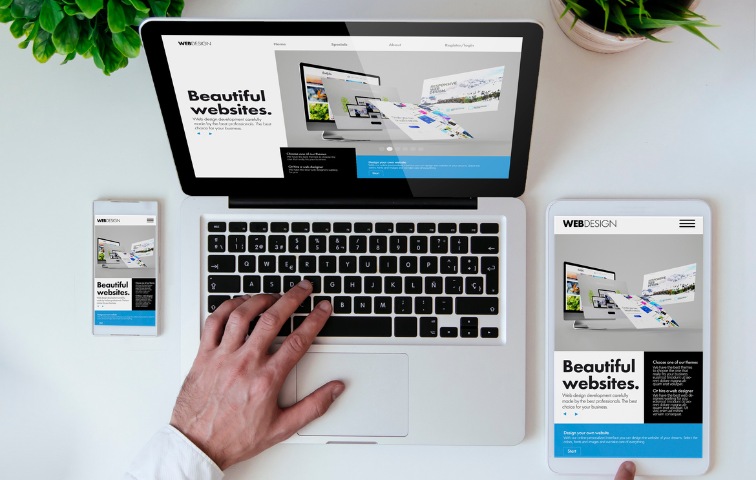
Web design can help you with this, as it offers tools to design your website, elements for increasing user engagement, techniques for marketing your business, and methods for retaining your customers.


What is Web Design?

In simple terms, web design is a process responsible for planning, creating, executing, and publishing your imagination into reality for your business.

User experience is vital for this process, as it is directly related to it. Web design involves working on crucial elements of the website to make it simple and efficient for the users. It allows users to quickly find the information they need and looks visually pleasing.

Now let’s come to the main point, ‘Why is it so important?’

Explore about Web Designing:-


Why is Web Design important?

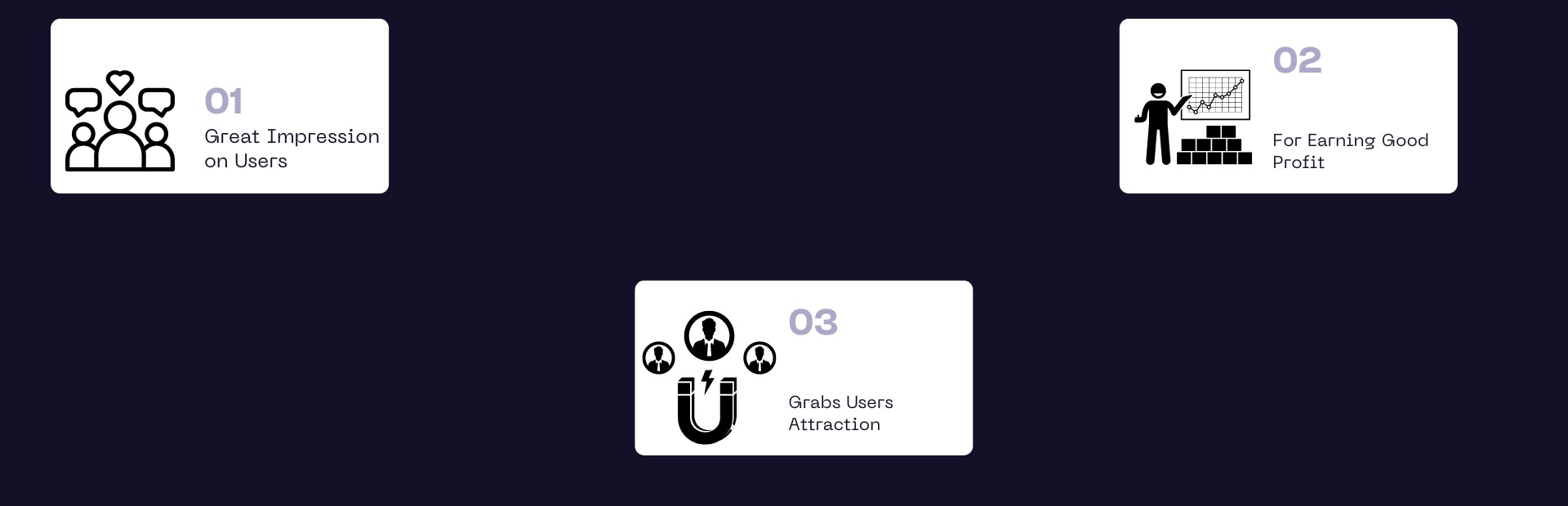
The answer to this question is simple, ‘For the great success of your business.’ Physical stores have the potential to grab the attention of customers nearby, but online stores are competent in catching customers across the globe with online accessibility. Here are some key benefits offered by the website:-

  • Great Impression on Users: As I told you earlier, user experience is vital to web design. A well-designed website makes it easier for the user to navigate and find relevant information quickly. User experience also decides whether the user will revisit the website or not. Your website is the face of your brand. It communicates with the client and user directly, so the visually appealing website puts greater emphasis on the user and establishes your brand identity. In short, a website has the power to make a great impression on the user and ensure the long run of your business.

  • Grabs Users Attraction: Online presence makes your brand stand out in the market and helps you beat your competitors. A website with a great look and feel retains your customers and even attracts more from this online market. Also, it creates a unique identity for your brand in the user community with creative logos, an excellent color theme, and easy-to-navigate site pages. Your business will expand easily among new users as they can easily find you online.

  • For Earning Good Profit: Elements such as readability, mobile-friendliness, website speed, sitemaps, URL structure, and website navigation are responsible for maintaining excellent Google rankings. All these factors are responsible for organic traffic. Good traffic leads to top rankings in Google, which enables more viewers to visit the site, and more viewers mean excellent profit.

Before jumping directly into how to create a website, let’s discuss those elements that are vitally important in web design.


What are the Vital Elements of Web Design?

Every strong building is based on pillars, and for web designing, two types of pillars are needed for building a website:

(1) Visual Elements

(2) Functionality Elements

Visual Elements

These elements are responsible for the look and feel of the website. All the components complement each other and create a unique presence in the online marketplace for your business. They decide how your website will look to your visitors. Visual elements include:

  • Fonts

  • Colors

  • Shapes

  • Layout

  • Icons

  • Logos

  • Images

  • Video

Functional Elements

These are important for search engines, and they decide how your website will work online, such as loading time, navigation, user interaction, and many more. These elements include:-

  • Navigation: It means how seamlessly your user can navigate to different site pages from one to another. It ensures the user’s search is smooth.

  • User interaction: Websites contain a lot of information, such as videos, pop-ups, chat boxes, etc. This element allows users to ignore irrelevant information easily.

  • Speed: Page loading time is the foremost thing for the user. You can lose a user if your website takes more than a second to load. So, to retain the user, your website should take less time to load.

  • Site structure: It ensures the user will look first and last on your website. It is crucial for both the user and the Google crawler.

  • Cross-device compatibility: It ensures that your website is compatible with all devices, from a computer to a mobile device.

It’s time to tell you how to design your website. Here is a step-by-step guide to shifting your business into an online marketplace.


How to Create a Well-Structured Website?

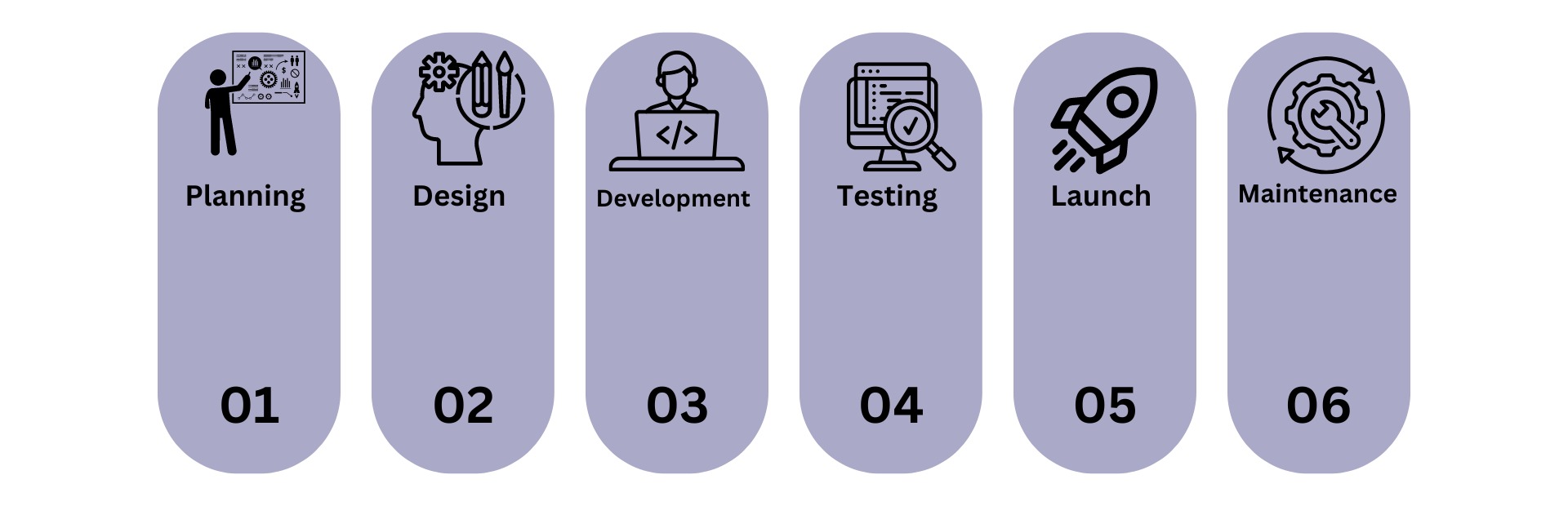
A well-structured website is based on excellent planning, best practices, and complete execution. This process requires a lot of attention and a clear idea of what you want from your website. I’m sharing a guide with you to make your work easier, more efficient, and more effective. To create a website, follow these general steps:

  • Planning: Define the website’s purpose, goals, and target audience.

  • Design: Create a visual design and layout.

  • Development: Write the code and develop the functionality.

  • Testing: Test for usability, compatibility, and performance.

  • Launch: Make the website live by publishing it on a web server.

  • Maintenance: Regularly update content, fix issues, and improve functionality.

Step 1: Plan Your Website

For the first time, you need to decide the purpose and goal of your website design, which will help you choose the templates and create an immersive UI and UX. Along with this, you can also decide what type of website you want. Numerous types of websites serve different objectives and purposes, such as:-

  • Personal Websites: These are used for creating blogs and portfolios and giving information about individuals.

  • Business Websites: This gives an online marketplace for business entities to sell their products and services.

  • E-commerce Websites: This is a form of online store where users can search for different products and make purchases for the same.

  • Educational Websites: As the name suggests, they provide online education through courses, tutorials, and resources for learners.

So, first, determine the purpose of your web design. This will help you identify your target audience and choose visual elements like color, font, images, and more to attract users. Second, look at your competitor’s website. This will help you design your website and give it a different UI.


Step 2: Choose a Domain and Hosting

The second step is to choose a domain name and hosting for your website. There are different kinds of domain names, such as .com for commercial use, .net for networking, .info for information, and .org for organizations. Carefully pick the right domain name and register it with the help of GoDaddy, Namecheap, or Google Domains registration services.


Step 3: Design Your Website

It’s time for the third step, ‘Designing.’ You can choose a website builder like Squarespace or Shopify to do the work for you. They will provide countless template options and customize your website with colors, fonts, and images. They will also help you sketch a basic layout of your web pages to visualize the structure and placement of elements.


Step 4: Develop Your Website

You must install your website builder or CMS on your hosting server to develop your website. Then, configure basic settings, such as the site title, tagline, and permalinks. The next step is to add essential plugins and extensions for your website’s smooth functioning and security. Ultimately, you need to create and organize content for your home page, such as About, Services, and Contact information.


Step 5: Test and Launch Your Website

Your website is all set to launch, but before you do so, run a test to ensure it is functioning correctly and according to your requirements. You must check all the links, forms, and interactive elements for functionality to do this. To check the accessibility of your website on different devices, test the browsers for compatibility. Use keywords and meta tags to optimize your website according to SEO standards. Your website will be ready to go after ensuring everything works smoothly and adequately.


Step 6: Maintain and Update Your Website

Update your website promptly, such as keeping your content fresh and relevant to engage visitors. Use analytics to track traffic, user behavior, and other key metrics to determine what users are searching for on your website. In addition, update software, themes, and plugins to ensure security and functionality.


Learn More:-
Where to Design from? Top Platforms

We have conducted an in-depth research to offer you some of the best platforms for web design so you can experience seamless progress.

Wrapping Up

Picking the right website builder can be a tough ask, but knowing what is necessary can help you find an easy solution to build your website. This guide will help you in designing the perfect and seamless website for your business. Moreover, you can make a choice from the best website builders in the market.

Our editors have done a lot of work, and you can just follow the flow. This is the time to get started with your first website. Follow these simple steps to create a dream website in a short period of time.

Don’t wait for anymore. Just let’s get started and reach the world with no boundaries.

Frequently Asked Questions

What is web design?

Web design refers to the process of creating the visual look and feel of a website, including layout, colors, graphics, fonts, and interactive elements. It involves both the aesthetics and usability of a website.

Why is web design important?

Good web design enhances user experience, making it easier for visitors to navigate and interact with the site. It also impacts the site’s credibility, engagement, and conversion rates.

Do I need coding skills to design a website?

While basic knowledge of HTML, CSS, and JavaScript can be beneficial, many website builders (e.g., Wix, Squarespace) and content management systems (e.g., WordPress) offer drag-and-drop interfaces that don’t require coding skills.

What are the essential tools for web design?

Common tools include:

Design software: Adobe Photoshop, Sketch, Figma

Code editors: Sublime Text, Visual Studio Code

Prototyping tools: Adobe XD, InVision

Website builders: WordPress, Wix, Squarespace

What are the key principles of effective web design?

Usability: Easy navigation and user-friendly interfaces.

Responsiveness: Mobile-friendly design that adapts to different screen sizes.

Consistency: Uniform design elements and styles across the site.

Visual Hierarchy: Organizing content to guide user attention.

Accessibility: Ensuring the site is usable by people with disabilities.

How important is responsive design?

Responsive design is crucial because it ensures your website looks and functions well on all devices, including desktops, tablets, and smartphones. With increasing mobile usage, a responsive design enhances user experience and SEO.

What is UX design and why is it important?

User Experience (UX) design focuses on creating a smooth and enjoyable experience for users when they interact with a website. Good UX design enhances user satisfaction, increases engagement, and improves conversion rates.

What is a call-to-action (CTA), and why is it important?

A call-to-action (CTA) is a prompt on a website that encourages users to take a specific action, such as “Buy Now,” “Sign Up,” or “Contact Us.” Effective CTAs can significantly increase user engagement and conversions.

What is the difference between web design and web development?

Web design focuses on the visual and aesthetic aspects of a website, while web development involves building and coding the functionality of the site. Designers create the look and feel, while developers bring it to life with code.

What is SEO, and how does it relate to web design?

Search Engine Optimization (SEO) involves optimizing a website to rank higher in search engine results. Good web design practices, such as fast loading times, mobile responsiveness, and clean code, contribute to better SEO.

Our Best Pick